
Run claude remote-control in server mode inside tmux on your VPS, logged in with a Claude subscription, not an API key or a setup-token.
It only makes outbound HTTPS calls, mostly to the Anthropic API, so you don't open a port.
Then open the session from the Code tab in the Claude app on your phone.
Once it connects, the server shows this:
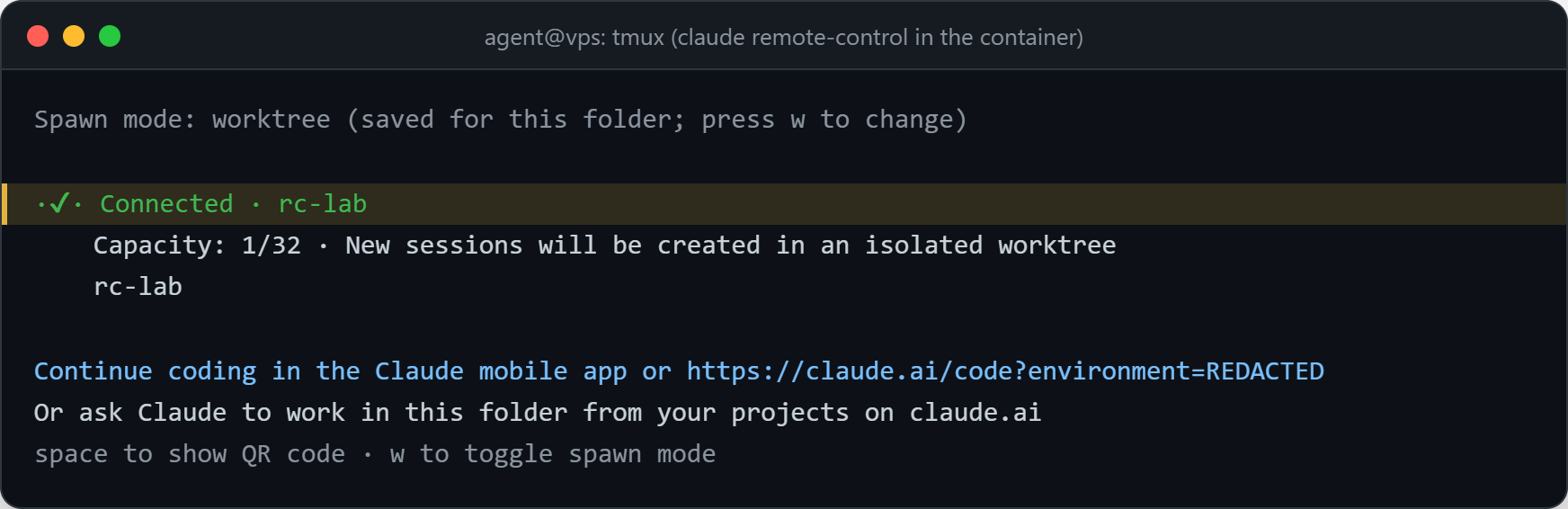
I ran it on November 20, 2026, on a 2 vCPU / 8 GB Ubuntu 24.04 VPS with Docker 29.10 and Claude Code 2.1.329. I used it from my phone in the real dev container behind its firewall. The server mode and outage screenshots come from a throwaway container built from the same image. The phone screenshots come from a second run on November 22, with Claude Code 2.1.330.
What Do You Need Before You Start?
You need a Claude subscription login. As of November 20, 2026, the docs list the Pro, Max, Ultra, Team, and Enterprise plans. On Team and Enterprise, an Owner must turn on the Remote Control toggle first.
API keys aren't supported.
Neither are the one-year token from claude setup-token, Bedrock, Vertex, Foundry, or a custom ANTHROPIC_BASE_URL.
Setting CLAUDE_CODE_DISABLE_NONESSENTIAL_TRAFFIC or CLAUDE_CODE_DISABLE_FEATURE_FLAGS turns Remote Control off.
Check the login inside the container:
claude auth status --text
It should print a subscription, such as Login method: Claude Max account, and a Sign-in ends date.
Logging in inside a dev container covers the login and how to keep it across rebuilds.
How Do You Start Remote Control on a VPS?
Start a tmux session on the host, so the process keeps running after you close SSH. Claude Code in tmux shows what happens without it.
tmux new -s claude
cd ~/projects/orders-api
devcontainer exec --workspace-folder . \
  claude remote-control --name orders-api --permission-mode bypassPermissions
--name is the label you'll see on your phone.
bypassPermissions runs new sessions without permission prompts, like --dangerously-skip-permissions, so use it only in a container that limits what the agent can reach.
The first run in a folder asks three questions:
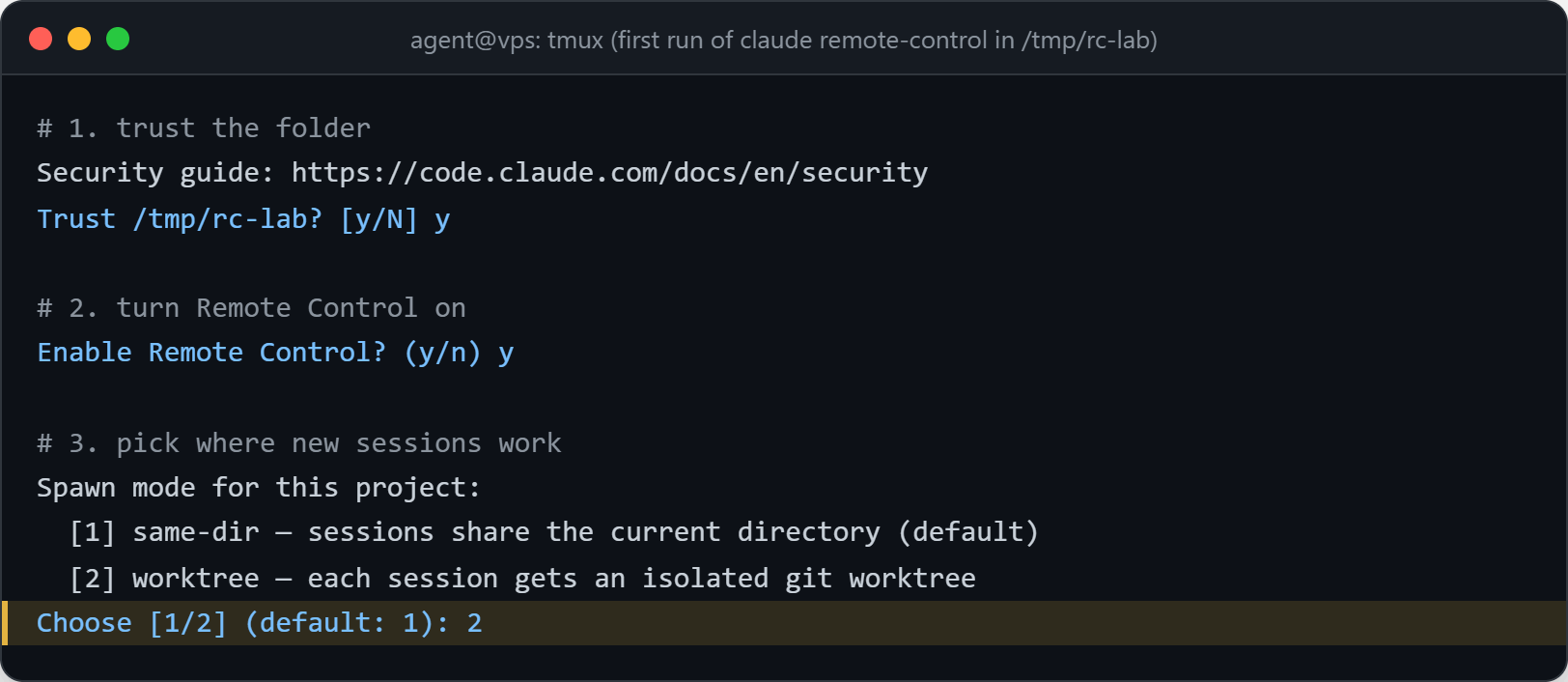
The spawn mode decides where new sessions edit files. In same-dir, every session works in the folder you started from, so two sessions edit the same files. In worktree, each new session gets its own git worktree, a second working folder for the same repository with its own branch.
Worktree mode needs a git repository.
The choice is saved for the folder, and w switches it.
To skip the question, add --spawn=worktree or --spawn=same-dir.
When it says Connected, detach from tmux and close SSH.
How Do You Use Claude Code Remote Control From Your Phone?
Press the spacebar in the tmux window for a QR code. Or open the Code tab in the Claude app and find the session by its name.
For one session that you drive from the terminal and the phone, start Claude Code itself with the --remote-control flag:
tmux new -s claude 'devcontainer exec --workspace-folder . \
  claude --remote-control claude-vps --permission-mode bypassPermissions'
There's no spawn mode to pick, because it's a normal interactive session.
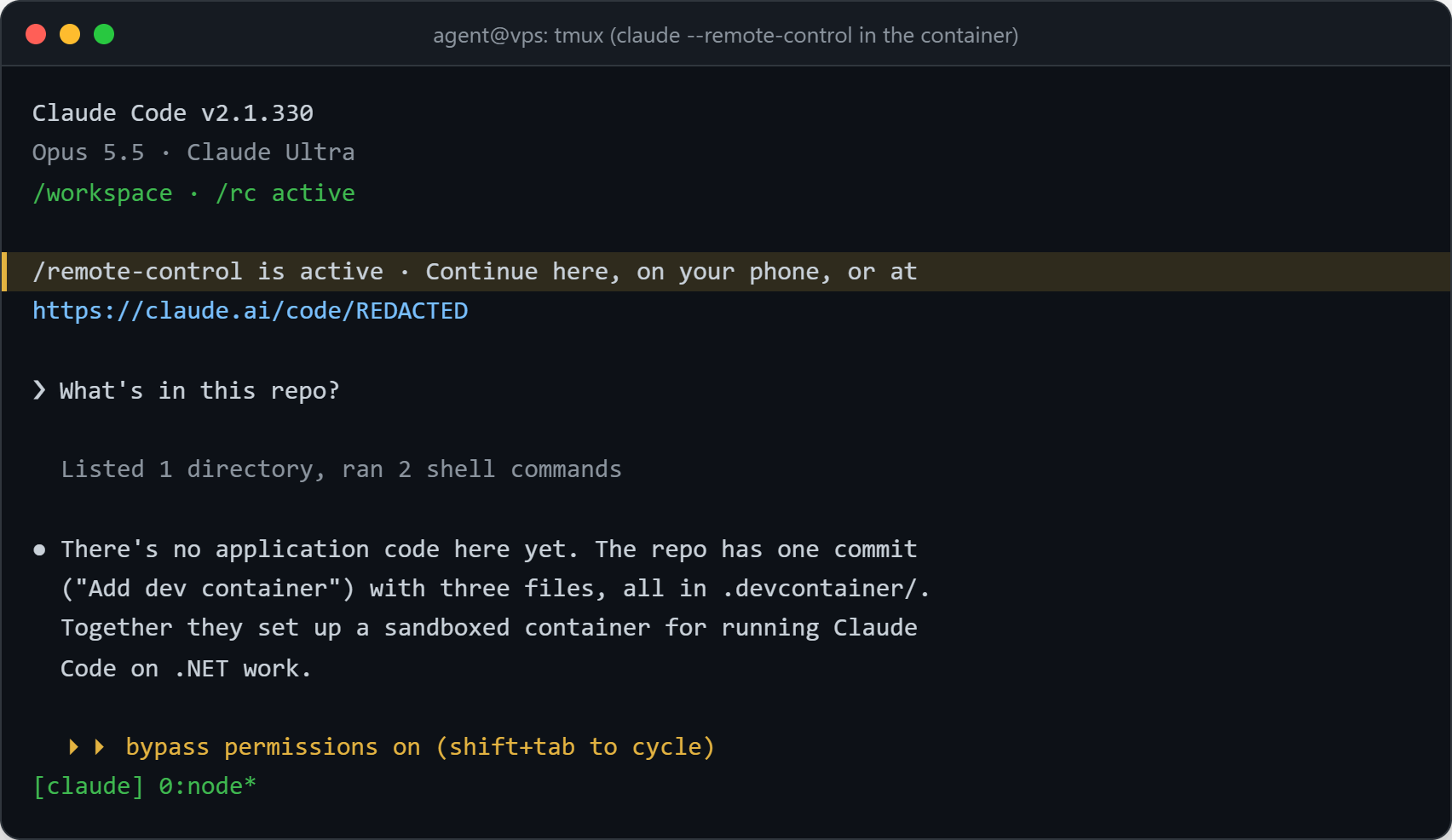
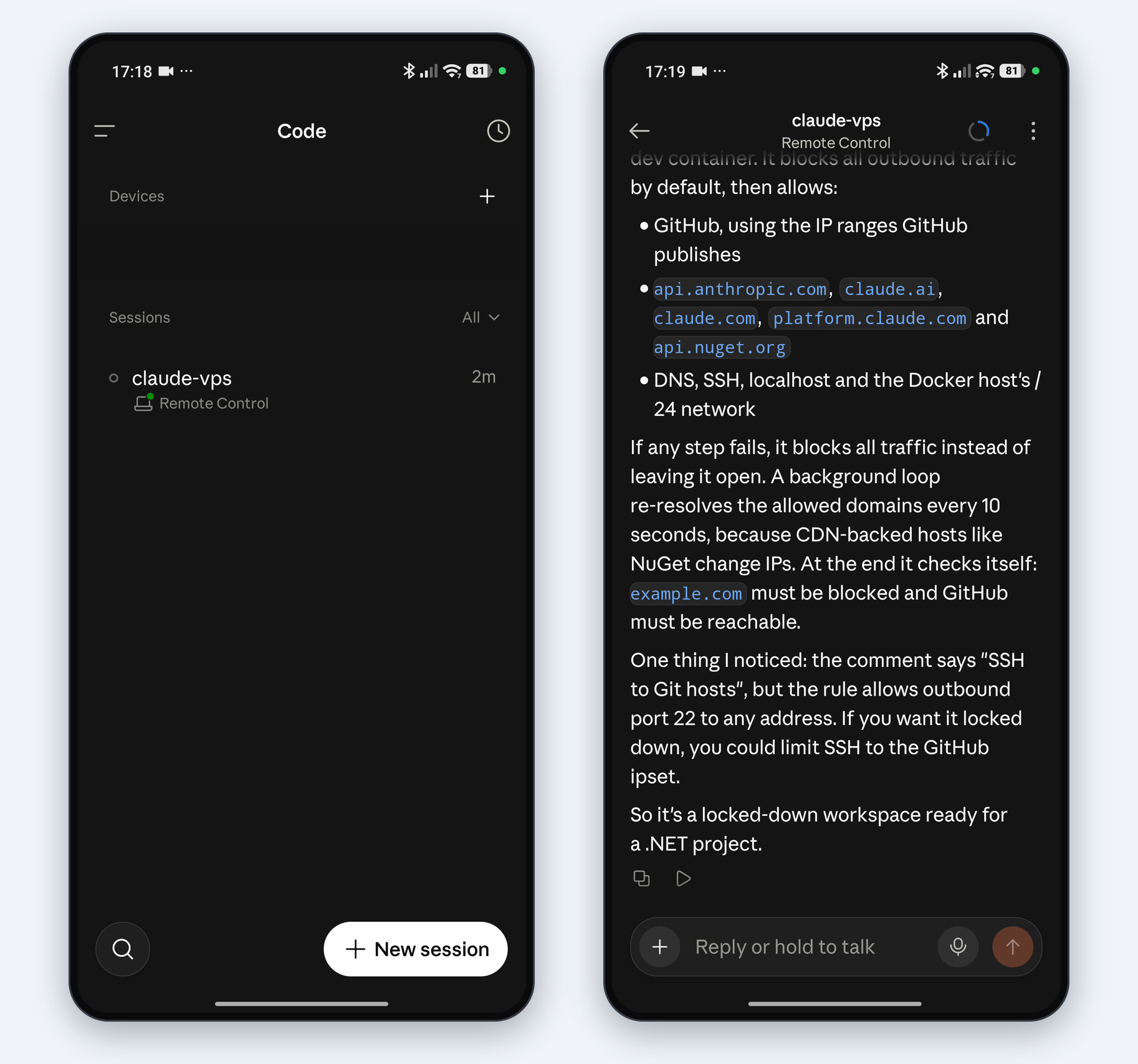
The terminal shows /rc active:
On the phone, I tapped claude-vps and got the same conversation:
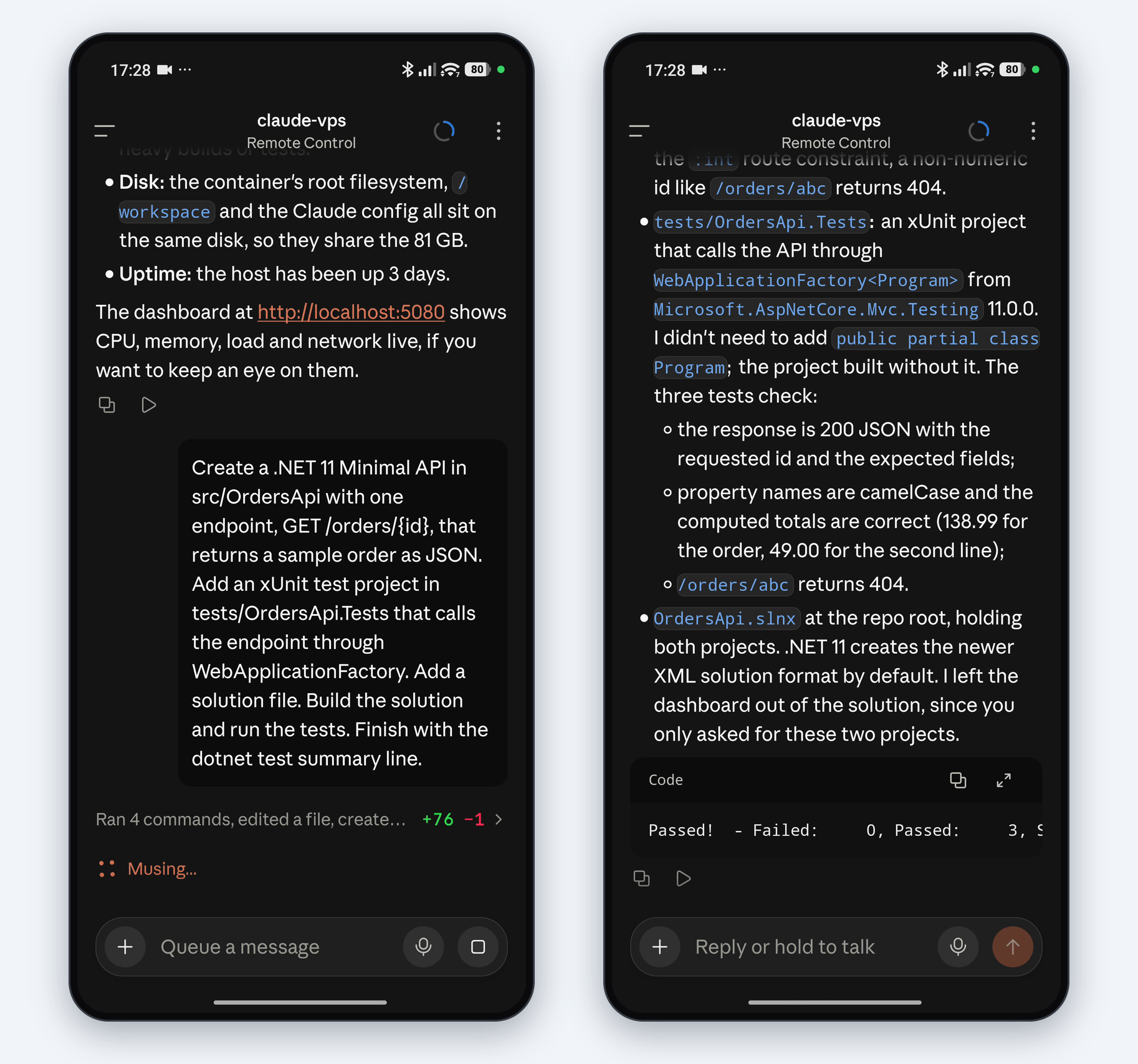
Then I sent a task from the phone. Claude created a .NET 11 API and its tests, and reported the result about a minute later:
Use server mode (claude remote-control) when you want to start new sessions from the phone.
Those follow the spawn mode you picked.
Does Remote Control Open a Port on Your Server?
No. The Remote Control docs say the server registers with the Anthropic API and keeps asking it for work, over outbound HTTPS only.
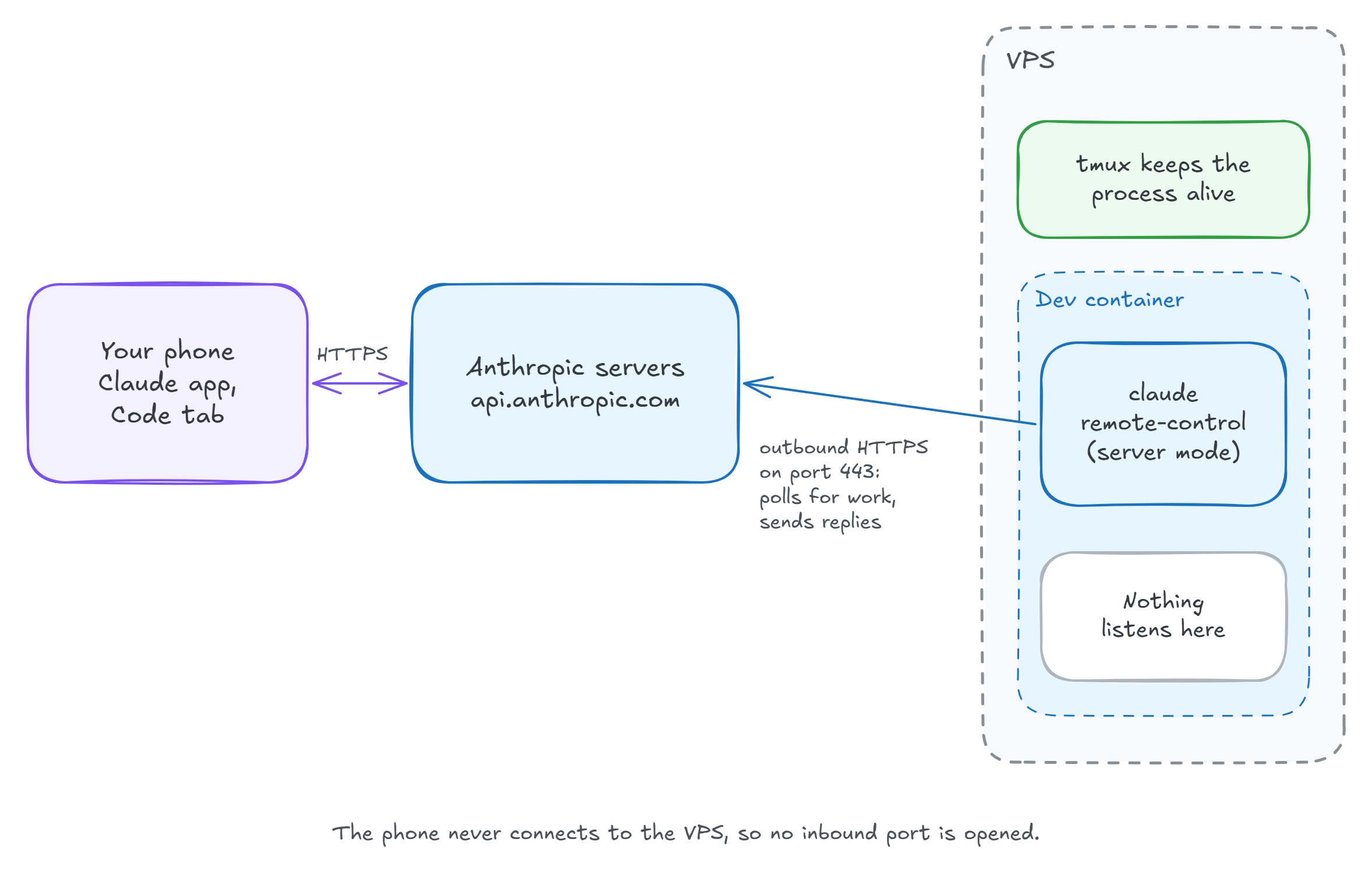
I listed the sockets inside the container while it was connected:
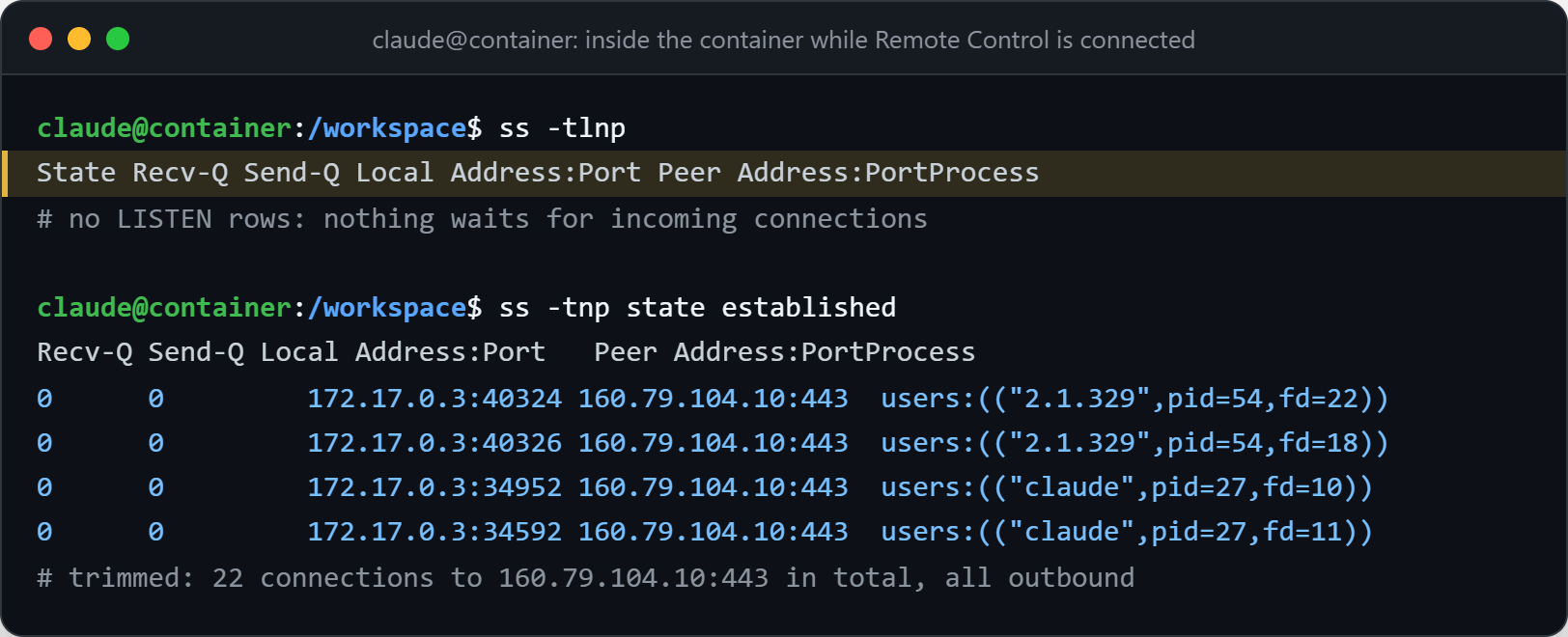
One more connection went to 34.149.66.165, a Google Cloud address.
My real dev container's firewall blocks it, and Remote Control still worked from my phone.
Your cloud firewall needs no inbound rule.
The server needs outbound access to the Anthropic API on port 443.
While Remote Control is connected, Anthropic stores the session transcript, including your messages, Claude's replies, and tool activity.
Why Does Claude Code Remote Control Disconnect?
tmux covers a dropped SSH connection.
To test a dropped link between the server and Anthropic, I blocked 160.79.104.10 with an iptables rule in the container, once for about two minutes and once for good:
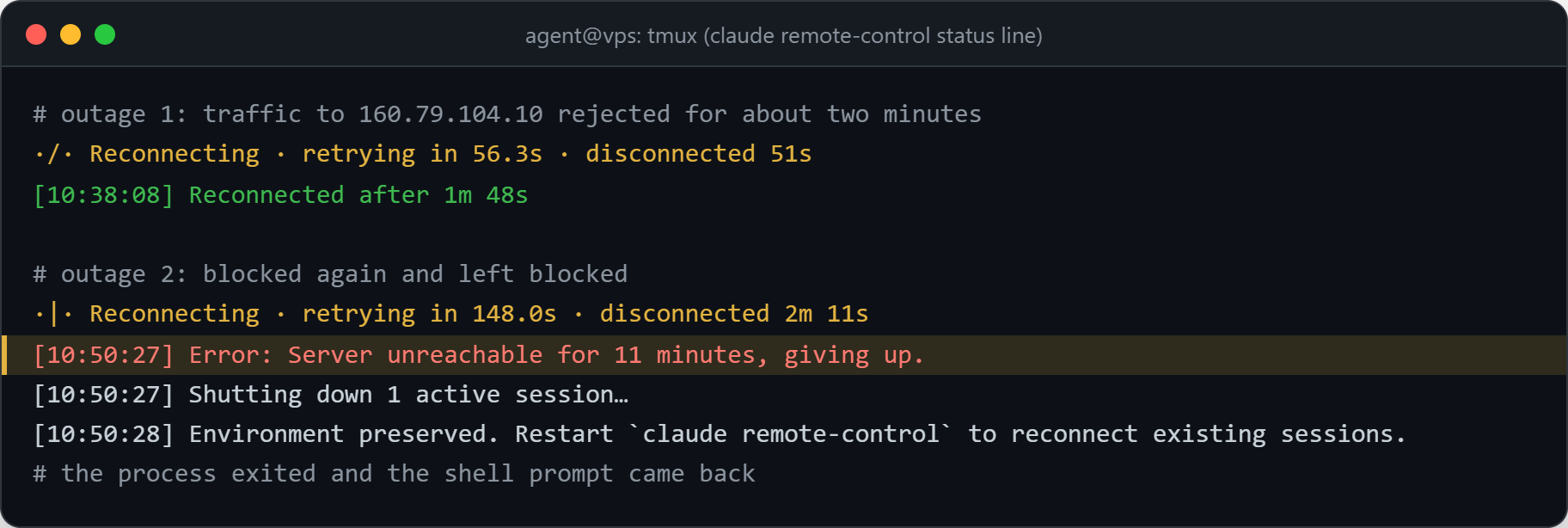
The short outage healed on its own, and the process never stopped. In the long one, server mode quit after 11 minutes, close to the roughly 10 minutes the docs give. Your phone loses the session until you start it again.
The docs say an interactive session started with claude --remote-control keeps retrying for as long as the outage lasts.
I didn't test an outage in that mode.
To stop the server yourself, attach to tmux and press Ctrl+C.
To pick up where you left off, start it again with --continue.
The help text says it reattaches to the last session recorded for that folder within roughly the last 4 hours, but I didn't try it.
Why Is Remote Control Not Working?
The SSH and outage rows come from my tests, and the rest from the docs and claude remote-control --help:
| Symptom | Fix |
|---|---|
| Exits with an error at start | Log in with a Claude subscription, not an API key or a setup-token |
| Exits with Workspace not trusted | Start it in tmux where it can ask, or run claude in the folder once |
| Remote Control is unavailable | Unset CLAUDE_CODE_DISABLE_NONESSENTIAL_TRAFFIC and CLAUDE_CODE_DISABLE_FEATURE_FLAGS, or ask a Team or Enterprise Owner to turn it on |
| Lost after an SSH drop | Start it inside tmux. Kill an orphan by PID with docker exec |
| Stuck on Reconnecting, or exited | Check outbound access to port 443, then start it again |
| Disconnects weeks later | The login expired. Sign in again inside the container |
| Worktree mode refuses to start | Use a git repository or same-dir |
Summary
Start claude remote-control inside tmux on the host, wrapped in devcontainer exec, with a subscription login and a --name you'll recognize.
Answer the three first-run questions, detach, and open the session from the Code tab.
For a single session you share between the terminal and the phone, use claude --remote-control instead.
It needs no inbound port.
It came back after a two-minute outage, but server mode exits after about 10 minutes offline.
Thanks for reading.
And stay awesome!
Frequently Asked Questions
How do I use Claude Code Remote Control from my phone?
Start claude remote-control inside tmux on the server, logged in with a Claude subscription. Then open the Code tab in the Claude mobile app and pick the session by the name you gave it.
Does Claude Code Remote Control work with an API key?
No. The docs say API keys are not supported. It needs a Pro, Max, Ultra, Team, or Enterprise subscription login, and the one-year token from claude setup-token cannot start it either.
Does Remote Control open a port on my server?
No. It makes outbound HTTPS requests to the Anthropic API on port 443 and keeps asking it for work. In testing, nothing was listening inside the container while Remote Control was connected.
Why does Claude Code Remote Control disconnect?
Usually the process lost its network, or you lost the terminal it runs in. Run it inside tmux so you can get back to it after an SSH drop. After a two-minute network outage it reconnected on its own. In a longer outage, server mode gave up and exited after 11 minutes, close to the roughly 10 minutes the docs give.
Why is Claude Code Remote Control not working?
Check the login first, because it needs a subscription, not an API key or a setup-token. Then check that CLAUDE_CODE_DISABLE_NONESSENTIAL_TRAFFIC and CLAUDE_CODE_DISABLE_FEATURE_FLAGS are not set, and that a Team or Enterprise owner has turned it on.
Can running Claude Code on a VPS get your account banned?
I found no rule against it as of November 24, 2026. The Remote Control docs cover running claude on a remote machine in tmux, and Anthropic's legal page doesn't prevent you from signing in to the unmodified Claude Code binary with your own subscription. Anthropic's terms and usage policy do prohibit sharing your account, reselling or proxying access, and distillation. Anthropic doesn't publish how it detects abuse, so nobody can promise an account will never be flagged.
