
Start Claude Code inside tmux, a program that keeps your terminal running on the server after SSH drops.
Without it, a dropped connection ended the host side of devcontainer exec and left claude running in the container with no terminal to reattach to.
With tmux, you log back in and run tmux attach to get the same screen.
I tested this on November 20, 2026: a 2 vCPU / 8 GB Ubuntu 24.04 VPS with Docker 29.10, tmux 3.4, and Claude Code 2.1.329.
Claude Code ran in a dev container (a Docker container defined by a .devcontainer folder in the repo), started with the Dev Containers CLI.
What Happens When SSH Drops Without tmux?
I started Claude Code over SSH with devcontainer exec, killed the SSH client to simulate a dropped connection, and listed the processes on the host and in the container:
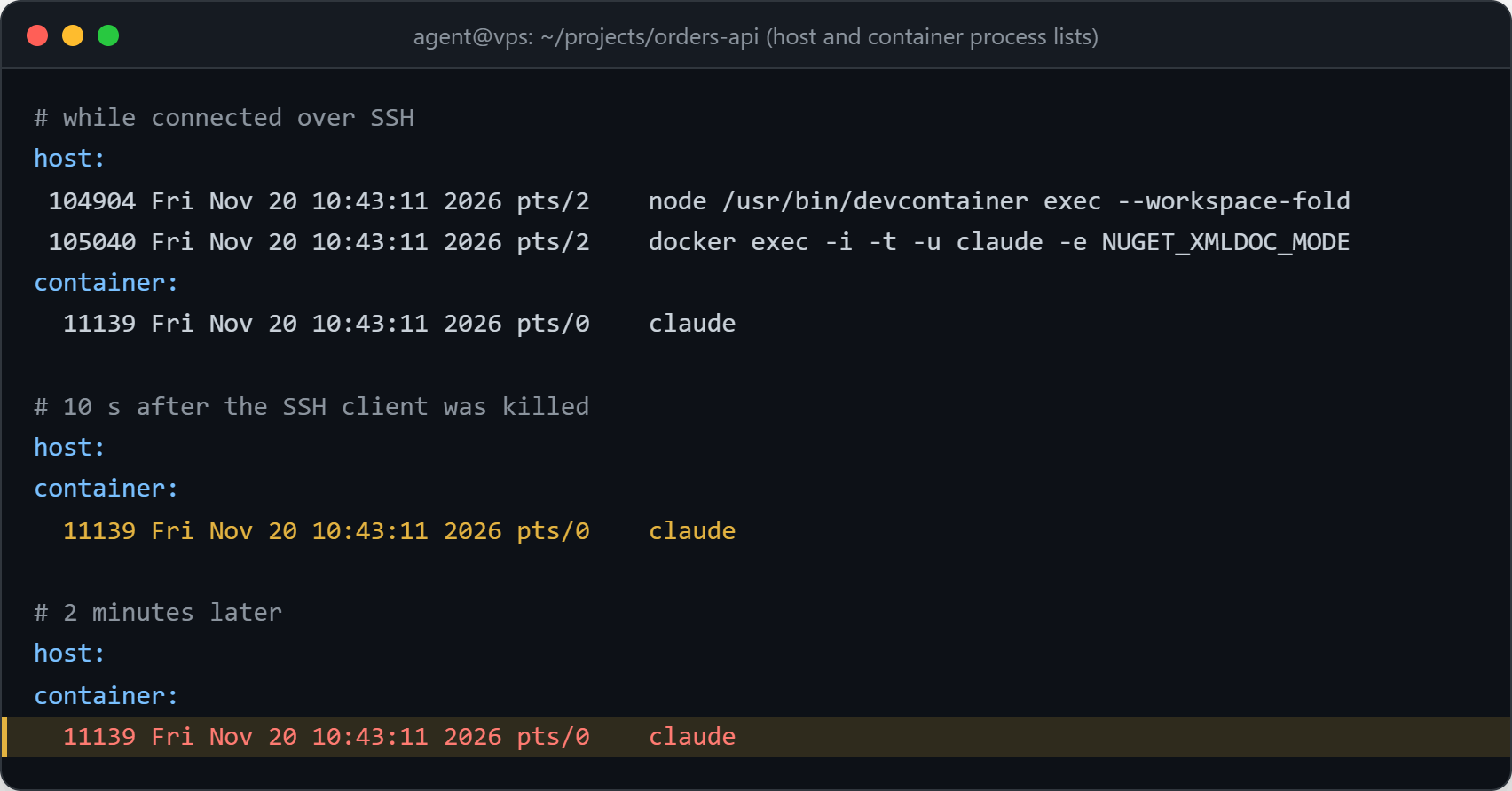
The host side was gone within 10 seconds.
claude was still running in the container two minutes later, with nothing connected to its terminal.
It's an orphan: a process that keeps running with nothing attached to it.
You can't get back to it, because docker exec always starts a new process and can't attach to a running one.
Killing a tmux session that holds Claude Code left an orphan too.
How Do You Keep Claude Code Running With tmux?
tmux runs a small server process on the host. Your terminal lives inside that server, so it stays when SSH drops.
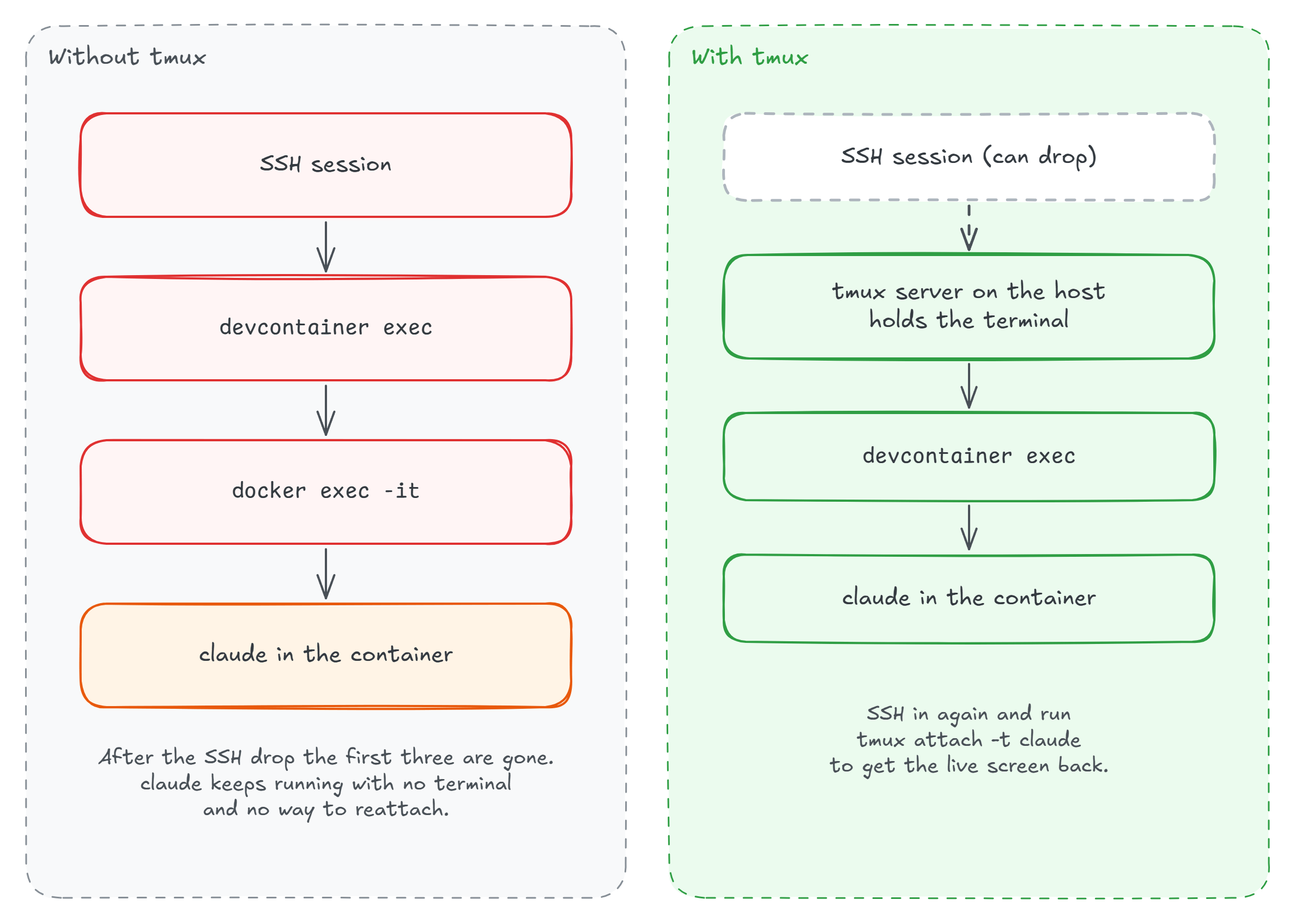
Start a named session on the server, then start Claude Code inside it:
tmux new -s claude
cd ~/projects/orders-api
devcontainer exec --workspace-folder . claude
Press Ctrl+b, then d, to detach.
The session keeps running, and you can close SSH.
You can also pass the command to tmux, so one line starts both:
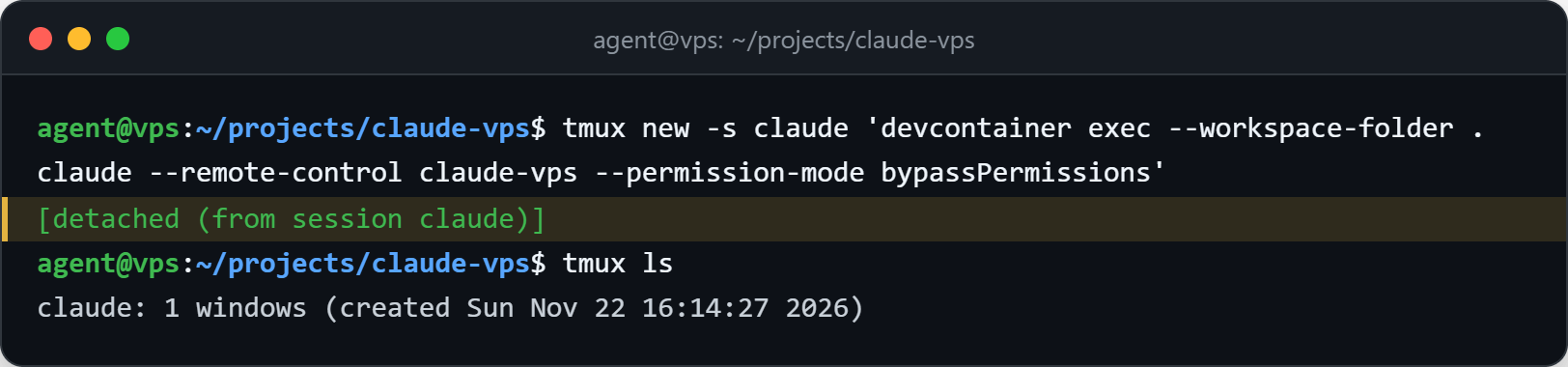
If that command fails, the tmux session closes and takes the error with it. Run the part in quotes on its own to see what went wrong.
When you log back in, attach to it:
tmux attach -t claude
I ended the SSH session and logged back in 50 seconds later. The session was still listed, and its screen showed Claude Code where I left it:
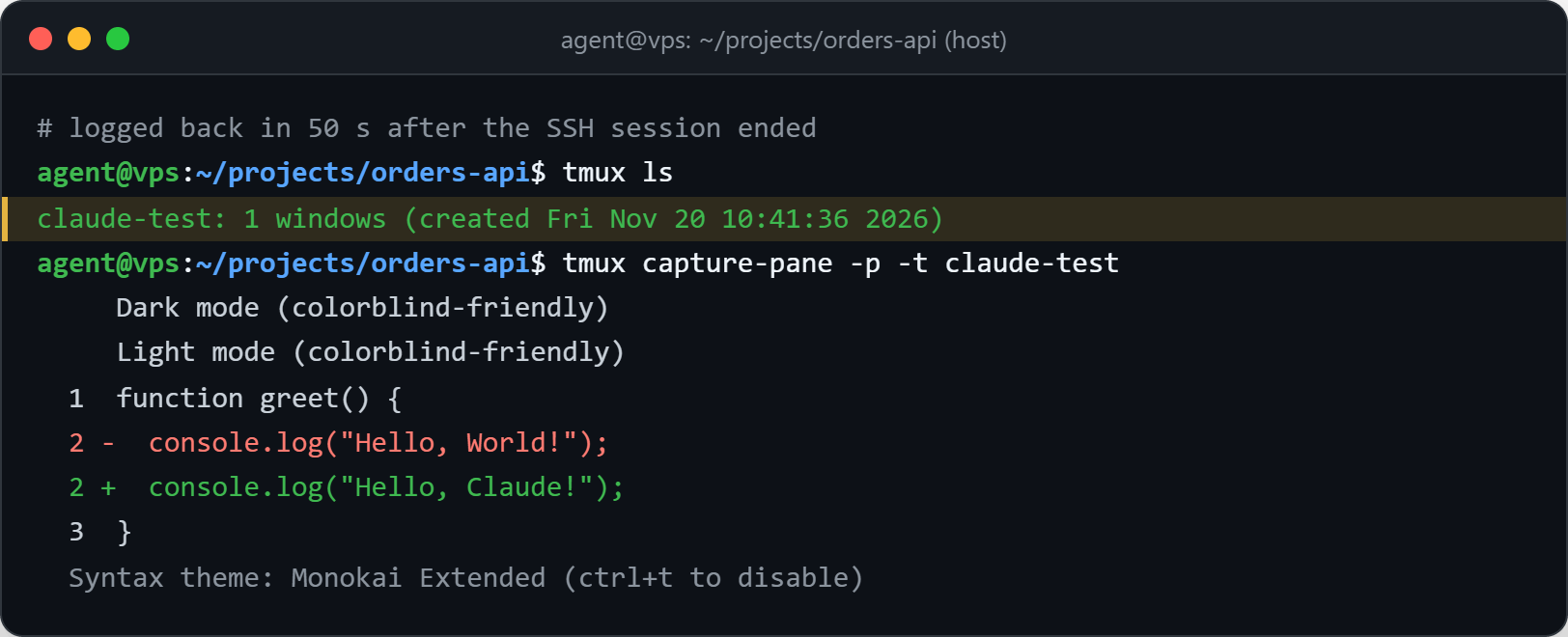
capture-pane -p prints a session's screen without attaching to it.
Which tmux Commands Do You Need?
These six cover everything in this guide:
| Command | What it does |
|---|---|
| tmux new -s claude | Starts a session named claude and attaches to it |
| Ctrl+b, then d | Detaches. The session keeps running |
| tmux attach -t claude | Reattaches with the screen as you left it |
| tmux ls | Lists sessions |
| tmux capture-pane -p -t claude | Prints the screen without attaching |
| tmux kill-session -t claude | Ends the session. Quit Claude Code first |
tmux 3.4 came with the test server's Ubuntu 24.04 image.
If yours doesn't have it, run sudo apt install tmux.
How Do You Find and Stop an Orphaned Claude Process?
Find the container the Dev Containers CLI started for your repo. Run this from the repo folder on the host, because the label holds that folder's full path:
docker ps -q --filter label=devcontainer.local_folder=$PWD
Then list the processes in that container with their start times:
docker exec <container> ps -eo pid,lstart,tty,args
Every Claude Code session shows up as claude, so check the start time before you kill anything.
In my test, an orphan from the first SSH test sat next to a live tmux session:
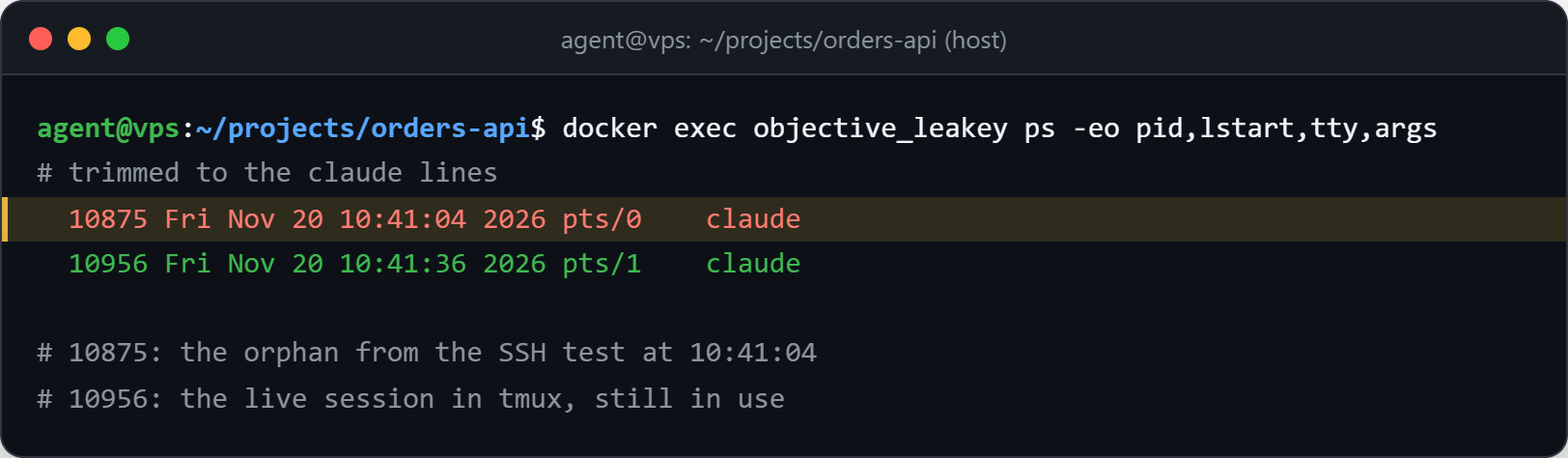
Stop only the process you own:
docker exec <container> kill <pid>
pkill -x claude also works, but it stops every claude in the container, live sessions included.
Should tmux Run on the Host or in the Container?
Run tmux on the host and start devcontainer exec inside it.
That is the setup I tested.
The dev container image doesn't include tmux, so I left that option out.
The Remote Control docs give the same advice for a remote machine: start Claude Code inside tmux or screen so the session survives an SSH disconnect. Remote Control and long runs without permission prompts both depend on it.
tmux does not survive a reboot. I didn't test reboots, systemd services, mosh, or a network that stops delivering packets without closing the connection.
Summary
Start Claude Code inside tmux on the host, detach with Ctrl+b and d, and close SSH.
tmux attach -t claude brings back the same screen.
Without tmux, a dropped connection leaves claude orphaned in the container, so find it by start time and kill only that PID.
Thanks for reading.
And stay awesome!
Frequently Asked Questions
How do I keep Claude Code running after SSH disconnects?
Start it inside a tmux session on the server. When SSH drops, tmux keeps the terminal and Claude Code running. After you log back in, run tmux attach to get the live screen back.
What happens to Claude Code when SSH disconnects without tmux?
In testing with a dev container, the host side of devcontainer exec was gone within 10 seconds, but claude kept running inside the container with no terminal. It was still there two minutes later, and there was no way to reattach to it.
How do I stop an orphaned Claude Code process in a dev container?
List the processes in the container with docker exec and ps, check the start time to find the one you started, and kill that process ID with docker exec. Avoid killing every claude process, because another session on the server can have the same name.
Should I run tmux on the host or inside the dev container?
Run it on the host and start devcontainer exec inside it. That is the setup I tested, and it kept Claude Code alive and reachable. Running tmux inside the container was not tested.
Does tmux keep Claude Code running after a reboot?
No. A reboot ends tmux sessions and everything running in them. Reboots were not part of this test, so plan to start the dev container and Claude Code again after one.
