









Skip to course content

You built the app.Now you just want to get it live.

But first come the hosting decisions, the scattered tutorials, and the worry about what happens when something breaks.

Self-hosting by trial and error

  • Losing evenings to tutorials that each solve a different piece of the puzzle.
  • Paying for another tool because deploying your own feels like too much work.
  • Putting off your launch because you are unsure what is safe to expose.
  • Crossing your fingers every time you update the app.
  • Starting from scratch when it is time to deploy the next one.
A clear path to production

  • One guided path from a fresh VPS to an app running over HTTPS.
  • The skills to host your own apps and internal tools with Dokploy.
  • A clear public/private boundary, with Tailscale for administration.
  • Practice verifying releases, rolling back, and restoring your data.
  • A runbook and AI agent skills you can reuse for the next project.

The architecture you will build

Understand how the whole system fits together.

Follow the private access, deployment, request and recovery paths. Each view connects the tools to the job they do together.

Explore the system, one flow at a time.

Hover to explore. Click to keep a flow selected.
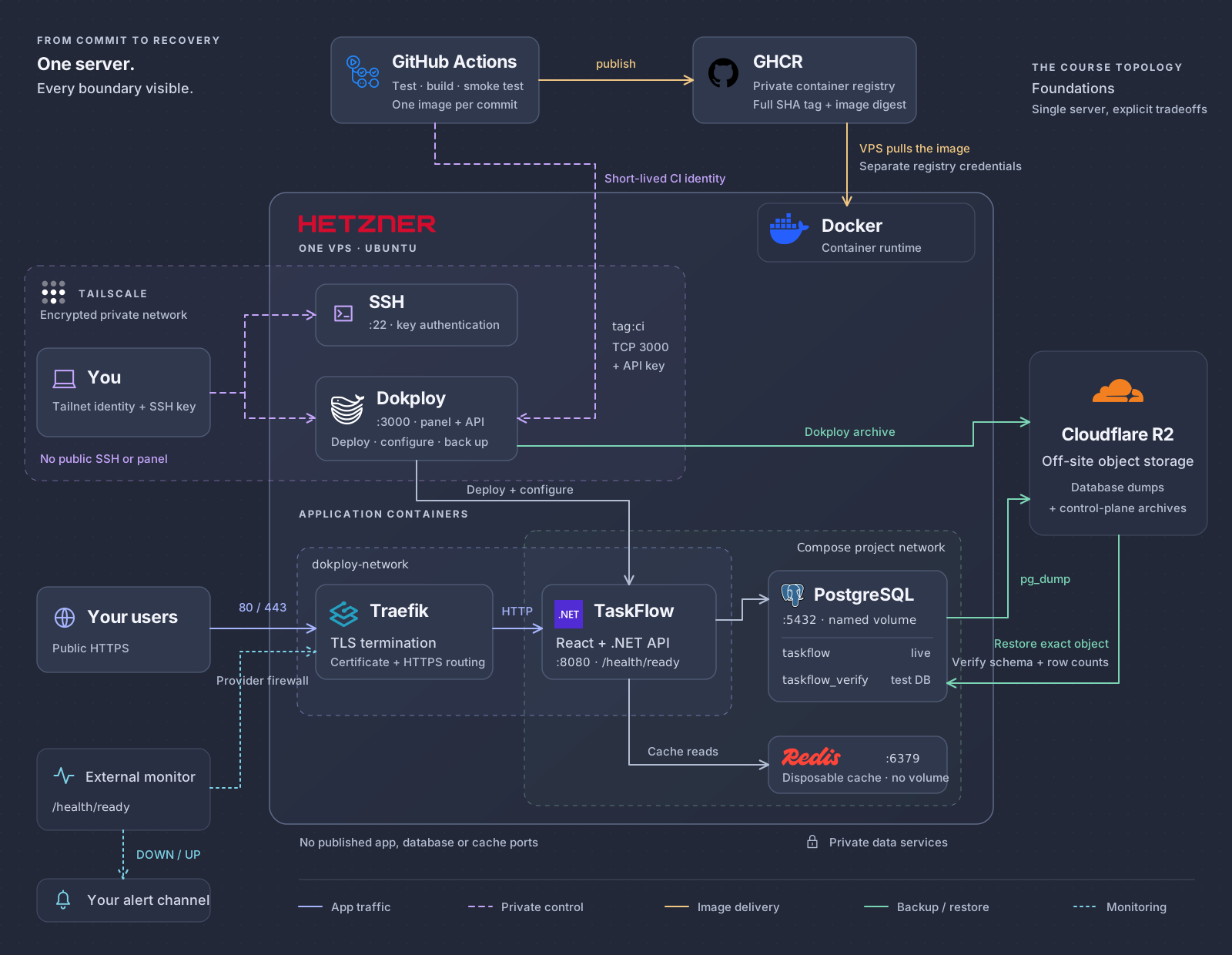
The complete Foundations architecture One Hetzner VPS runs Docker, Dokploy, Traefik and TaskFlow. Public HTTPS reaches the app through Traefik. Tailscale carries private operator access and a separately restricted CI deployment request. GitHub Actions publishes a tested image to GHCR, which the VPS pulls independently. The app connects to PostgreSQL and Redis on its project network. Dokploy and database backups leave the server for Cloudflare R2. An exact database backup restores into a temporary database inside PostgreSQL. An external monitor checks public readiness and sends alerts. FROM COMMIT TO RECOVERY One server. Every boundary visible. GitHub Actions Test · build · smoke test One image per commit GHCR Private container registry Full SHA tag + image digest publish THE COURSE TOPOLOGY Foundations Single server, explicit tradeoffs ONE VPS · UBUNTU Docker Container runtime VPS pulls the image Separate registry credentials TAILSCALE Encrypted private network No public SSH or panel You Tailnet identity + SSH key SSH :22 · key authentication Dokploy :3000 · panel + API Deploy · configure · back up Short-lived CI identity tag:ci TCP 3000 + API key APPLICATION CONTAINERS dokploy-network Compose project network Your users Public HTTPS Traefik TLS termination Certificate + HTTPS routing TaskFlow React + .NET API :8080 · /health/ready 80 / 443 Provider firewall HTTP Deploy + configure PostgreSQL :5432 · named volume taskflow taskflow_verify live test DB :6379 Disposable cache · no volume Cache reads No published app, database or cache ports Private data services Cloudflare R2 Off-site object storage Database dumps + control-plane archives Dokploy archive pg_dump Restore exact object Verify schema + row counts External monitor /health/ready Your alert channel DOWN / UP App trafficPrivate controlImage deliveryBackup / restoreMonitoring

Full Foundations architecture with network boundaries, deployment paths and off-site backups
See every connectionSelect the thumbnail to open the full-size diagram with zoom and pan.

One server is one failure domain. You will learn its limits alongside its deployment and recovery workflow.

The workflow you practice

Ship a change. Know your way back.

Follow a release from source code to a running app. Then rehearse the recovery steps while you are learning, with a disposable practice app.

  1. 01 · Release

    One commit. One image.

    Test and build once. Record the image identity, then deploy through the private API.

  2. 02 · Verify

    Check the running app.

    Match the live commit to the release. Inspect readiness and prove that an application write persists.

  3. 03 · Recover

    Rehearse both ways back.

    Roll back the application release. Separately, restore a database backup into a temporary database.

Keep the checks and recovery steps. Repeat them with your next change.

The Foundations curriculum

One server. The complete workflow.

Provision, harden, go private, deploy, automate, back up, and maintain. Modules 0–9 cover the full process. The included AI companion shows how to use the supplied skills when you repeat the work.

Free Preview

Watch Module 0 for free.

See what you will build and what you need to get started. No signup required.

4 lessons · 22:12

0.0 · Introduction

Select a lesson, then press play.

Module 0 · Start here

Source code and course materials are included with enrollment.

Get the complete course
00

Welcome and the destination

See when self-hosting can lower infrastructure costs, give you more control over performance, and let you choose your own stack. Tour the finished TaskFlow application and the architecture you will build, including private administration, automated deployments and recovery. Get clear on the tools, accounts and prior knowledge you need before starting the practical lessons.

  1. 0.0IntroductionFree preview
  2. 0.1Why self-hosting?Free preview
  3. 0.2What you'll buildFree preview
  4. 0.3PrerequisitesFree preview
01

Why a VPS and why Dokploy

Compare the convenience of managed hosting with the cost and responsibility of running a VPS. See what the provider, Docker and Dokploy each handle, how Dokploy compares with alternatives such as Coolify, and which operating tasks remain yours. Use those tradeoffs to decide whether this setup suits your application.

  1. 1.0Introduction
  2. 1.1Ownership and costs
  3. 1.2Where Dokploy fits
02

Provision the server

Provision an Ubuntu server on Hetzner with SSH access and a cloud firewall configured from the start. Create a passphrase-protected SSH key, upload only its public half, and restrict the initial SSH connection to your IP address. Connect from your workstation and verify the server before changing its security settings.

  1. 2.0Introduction
  2. 2.1SSH keys
  3. 2.2Cloud firewall
  4. 2.3Create the server
03

Security hardening

Replace routine root access with a dedicated deploy user and key-based SSH authentication. Disable root and password login, check the settings SSH actually applies, and test a second connection before closing the first. Bring the server up to date, enable automatic security updates, and understand where tools such as UFW and fail2ban fit.

  1. 3.0Introduction
  2. 3.1Firewall checks and deploy user
  3. 3.2Secure SSH
  4. 3.3Automatic security updates
  5. 3.4Keeping security simple
04

Private networking with Tailscale

Connect your computer and server with Tailscale, and understand how its private network separates administration from public app traffic. Move SSH onto that network, remove the public SSH firewall rule, and verify that private access still works. Learn the recovery route through the provider console and where alternatives such as Headscale and Cloudflare Tunnel fit.

  1. 4.0Introduction
  2. 4.1Private admin access
  3. 4.2Build the tailnet
  4. 4.3Disable public SSH
05

Docker and Dokploy

Understand how images, containers and Docker Compose fit together, then install Dokploy and reach its panel through Tailscale. Set up your administrator account and two-factor authentication, and check that the panel cannot be reached over the public internet. Get familiar with projects, services, domains and deployments so you can configure the application in the next module.

  1. 5.0Introduction
  2. 5.1Install Docker and Dokploy
  3. 5.2Private panel access
  4. 5.3Dokploy panel basics
06

Deploy the app

Deploy TaskFlow, the supplied React and .NET app, with PostgreSQL and Redis. Configure DNS, registry access and secrets, then use Traefik for automatic HTTPS while the database and cache stay private. Stop PostgreSQL in Dokploy to see the difference between liveness and readiness, then bring it back and verify that the app recovers and your data persists.

  1. 6.0Introduction
  2. 6.1TaskFlow and the deployment contract
  3. 6.2Configure DNS
  4. 6.3Configure the service and secrets
  5. 6.4Traefik and HTTPS
  6. 6.5Liveness and readiness
07

Automate deployments privately

Follow a GitHub Actions workflow that tests the app, builds a Docker image and publishes it to GHCR with a commit SHA tag. Give the runner temporary Tailscale access to call the private Dokploy API, then verify which commit is running. Inspect database migrations through an SSH tunnel and practice rolling back to an earlier application image.

  1. 7.0Introduction
  2. 7.1Deployment pipeline overview
  3. 7.2Read the pipeline
  4. 7.3Deploy through Tailscale
  5. 7.4Database migrations
  6. 7.5Rollback and version checks
08

Backups you can actually restore

Identify what needs backing up, including application data and Dokploy configuration. Set up Cloudflare R2 with bucket-scoped credentials and verify that both backup types reach storage outside your VPS. Restore a specific database backup into a temporary database, compare its schema and row counts, and confirm that the live application data remains unchanged.

  1. 8.0Introduction
  2. 8.1What to back up
  3. 8.2Configure Cloudflare R2
  4. 8.3Verify app and Dokploy backups
  5. 8.4Restore into a temporary database
09

Monitoring and alerting

Set up UptimeRobot to check your public readiness endpoint and send test outage and recovery notifications to your chosen alert channel. Build a monthly routine for backups, server resources and updates, with checks after each change. Consider Uptime Kuma as a self-hosted monitoring alternative, and learn which measurements help you decide when to resize or move beyond one server.

  1. 9.0Introduction
  2. 9.1Monthly maintenance
  3. 9.2Monitoring and alerts
  4. 9.3When to scale beyond one server
B1

AI companionIncluded companion lesson

Learn how the seven included skills help Claude Code, Codex, Cursor or GitHub Copilot repeat the workflows you have practiced. See what each skill does and how to supply the relevant app details. Walk through release-check on TaskFlow, compare the expected and running commits, and review the results so you can use the skills on your own deployments.

  1. B1.1Working with agents

Follow the lessons at your own pace. Allow additional time for hands-on setup, deployments, and recovery practice.

Another use for your server

The subscriptions add up.
Your own tools can change that.

This year, I built and self-hosted replacements for tools I used to pay for. The same deployment foundation supports my apps and the tools I use to run my business.

Paid tool I replacedWhat I run myself

Senja

Testimonials

$590/year

Testimonials

Built for my own workflow, hosted on my infrastructure

TurboScribe

Transcription

$120/year

Transcriptions

A focused tool I can run and maintain myself

$710/year

In subscriptions I replaced

$590 for Senja + $120 for TurboScribe. This is the annual subscription cost I can avoid, before hosting, API usage, and maintenance. Your savings depend on the tools you replace.

A tool I actually use

My TurboScribe subscription was $120/year.

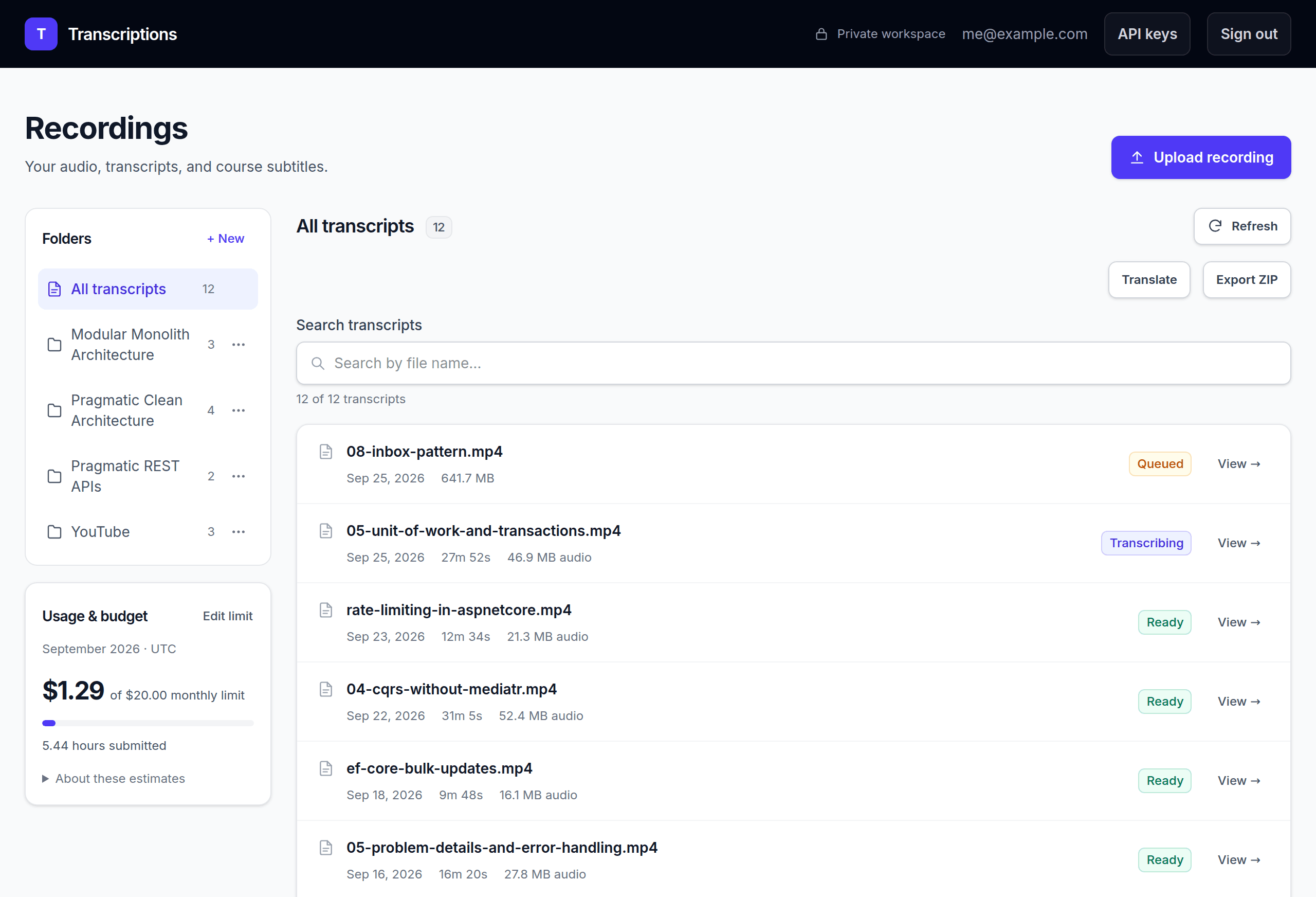
I built Transcriptions for my recordings, transcripts, and course subtitles. It runs on a VPS I already pay for, with a speech-to-text API behind it.

That is a $120 annual renewal I can avoid. API usage, hosting, and maintenance still have a cost.

Read the full breakdown
Transcriptions: Milan's self-hosted app for recordings, transcripts, and course subtitles, with a folder library and processing queue
Transcriptions, my self-hosted replacement. Select the image to zoom.

Your AI agent, with the right context

Learn the process once.
Get help when you repeat it.

The included Working with agents lesson covers all seven skills and a release check on TaskFlow. Give your agent the instructions and app details, then review what it finds.

Use the skill files with Claude Code, Codex, Cursor, or GitHub Copilot.

An example request to your agent
“Use release-check and my app details. Check whether this release is live. Show the expected and running commits, readiness, and workflow result. Tell me what you could not check. Do not change the app.”

Add your app details

  • Your TaskFlow repository
  • Your application URL
  • The commit you expect to be running
  • The GitHub Actions run to check

Keep these details in a note you can reuse. Your agent uses its configured access. Credentials stay out of the note.

Check the starting state

preflight

Review prerequisites, environment details, and missing context before changing anything.

Verify the access boundary

private-access

Check private connectivity and the recovery path before closing an existing access route.

Repeat an authorized deployment

deploy

Adapt the taught pipeline, deploy through the private API path with your approval, and verify the live commit and readiness.

Review a deployment

release-check

Compare the intended commit with the running app, its readiness, and the workflow result.

Investigate a failure

diagnose

Start with symptoms and read-only evidence. Separate likely causes from verified facts.

Rehearse recovery safely

scratch-restore

Identify the backup and an isolated restore target, then verify the result against your receipt.

Repeat the monthly routine

maintenance

Review updates, capacity, backup freshness, and alerting against the same checklist.

What is included

A course you can put to work.

Watch the lessons. Follow the runbook. Keep the source and skills for the next deployment.

The Foundations course

Modules 0–9 cover the single-server workflow. The included Working with agents companion shows how to use the supplied skills.

The Production Runbook

Commands, expected results, deployment checklists, and recovery steps you can keep beside your terminal.

TaskFlow source code

An MIT-licensed .NET and React practice app with PostgreSQL and Redis, ready for deployment exercises.

7 agent skills + context

A reusable pack for preflight, private access, deployment, release checks, diagnosis, backup testing, and maintenance.

A good fit if you...

Can run a Docker container, use Git, and read terminal commands. Want to host a side project, a small SaaS, or an internal tool and take responsibility for operating it.

The course boundary

Practice deploying and operating applications on one server, with planned maintenance windows. TaskFlow is a disposable practice app. Use sample data.

Get the course

Your foundation for self-hosting.

Learn the complete workflow and keep the source, runbook, and skills for your next deployment.

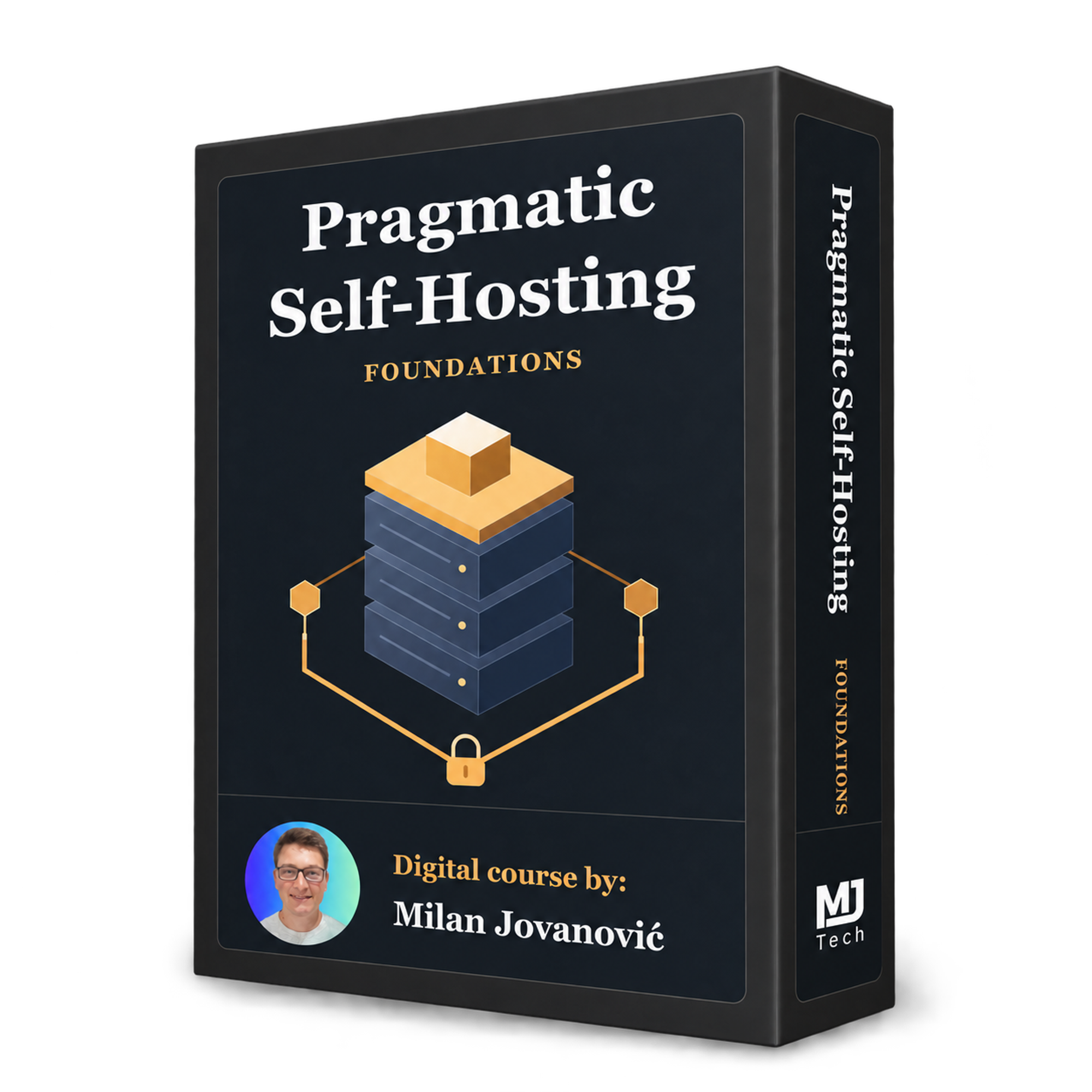
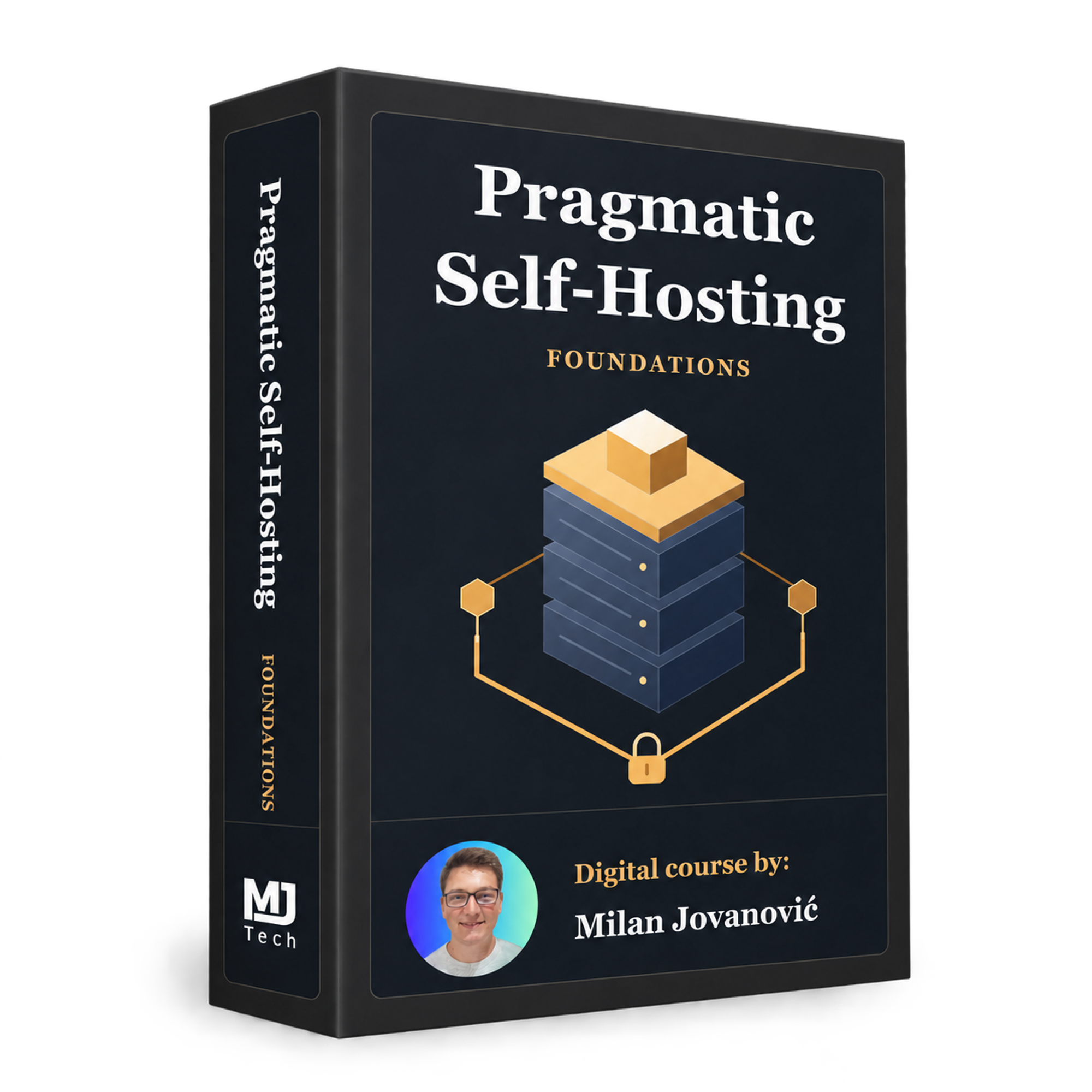
Pragmatic Self-Hosting: Foundations course cover

Foundations course

Launch price

Pragmatic Self-Hosting

Launch price $149Regular price $249USD

One-time payment. Lifetime access and updates.

Pre-release access. Most of the course is ready to watch. A few smaller lessons are being re-recorded.

  • Complete source code and deployment config
  • The Production Runbook and checklists
  • All 7 reusable agent skills
  • English transcripts and subtitles
  • Certificate of completion

VPS, domain, and third-party costs are separate.

Letter for your bossNeed approval? Copy a ready-made request for your manager.

Questions before you start?

Frequently asked questions

What does pre-release mean?

Most of the course is ready to watch. A few smaller lessons are being re-recorded.

Why Foundations?

Running your own applications requires understanding how server access, networking, containers, deployments, backups and monitoring work together. Foundations teaches those skills through a complete setup you build and operate yourself. You will understand the decisions behind your infrastructure and practice keeping it running, including recovering when something goes wrong.

Is Tailscale included?

Yes. Private administration is part of the foundation. You use Tailscale for SSH and the Dokploy panel, and for the CI runner to reach the deployment API. The application itself remains public over HTTPS.

How long is the course?

Expect approximately 4 hours of video across Modules 0–9 and the included Working with agents companion. The current edit is around 4.5 hours, with further editing expected to bring it closer to 4 hours. Allow additional time for hands-on setup, deployments and recovery practice.

Does my app have to use .NET?

The included TaskFlow practice app uses .NET, React, PostgreSQL, and Redis. The principles transfer to other containerized apps, but adapting your Dockerfile, health checks, configuration, migrations, and backups is real engineering work. This course uses one focused reference application throughout.

What experience do I need?

You should be able to run a Docker container, use Git and GitHub, and read terminal commands. No prior Dokploy or Linux administration experience is assumed. The demonstrated local workflow uses PowerShell on Windows, with Bash after connecting to Ubuntu.

Will an AI agent do the deployment for me?

You learn and perform the workflow first. The included Working with agents lesson explains all seven skills and demonstrates a release check using your app details. Use the files with Claude Code, Codex, Cursor, or GitHub Copilot to help repeat the work. You provide the access it needs and review the results.

What will I need to pay for?

The course is a one-time purchase. A VPS and a domain are separate, and API services may charge for usage. Provider plans, IPv4 charges, taxes, and third-party service limits vary. The course explains the running costs and how to evaluate them for your own setup.

What is outside the scope?

Multi-server deployments, separate staging environments and advanced observability are outside the course. You will build and operate a complete single-server setup and learn how to recognize when it is reaching its limits.

Pragmatic Self-Hosting: Foundations

Make self-hosting a skill you can reuse.

Deploy your app with Dokploy, keep administration private with Tailscale, and learn how to verify releases and recover your data.

Get instant access

Includes the source code, Production Runbook, and all 7 agent skills.