
Claude Code can't open a browser on a server.
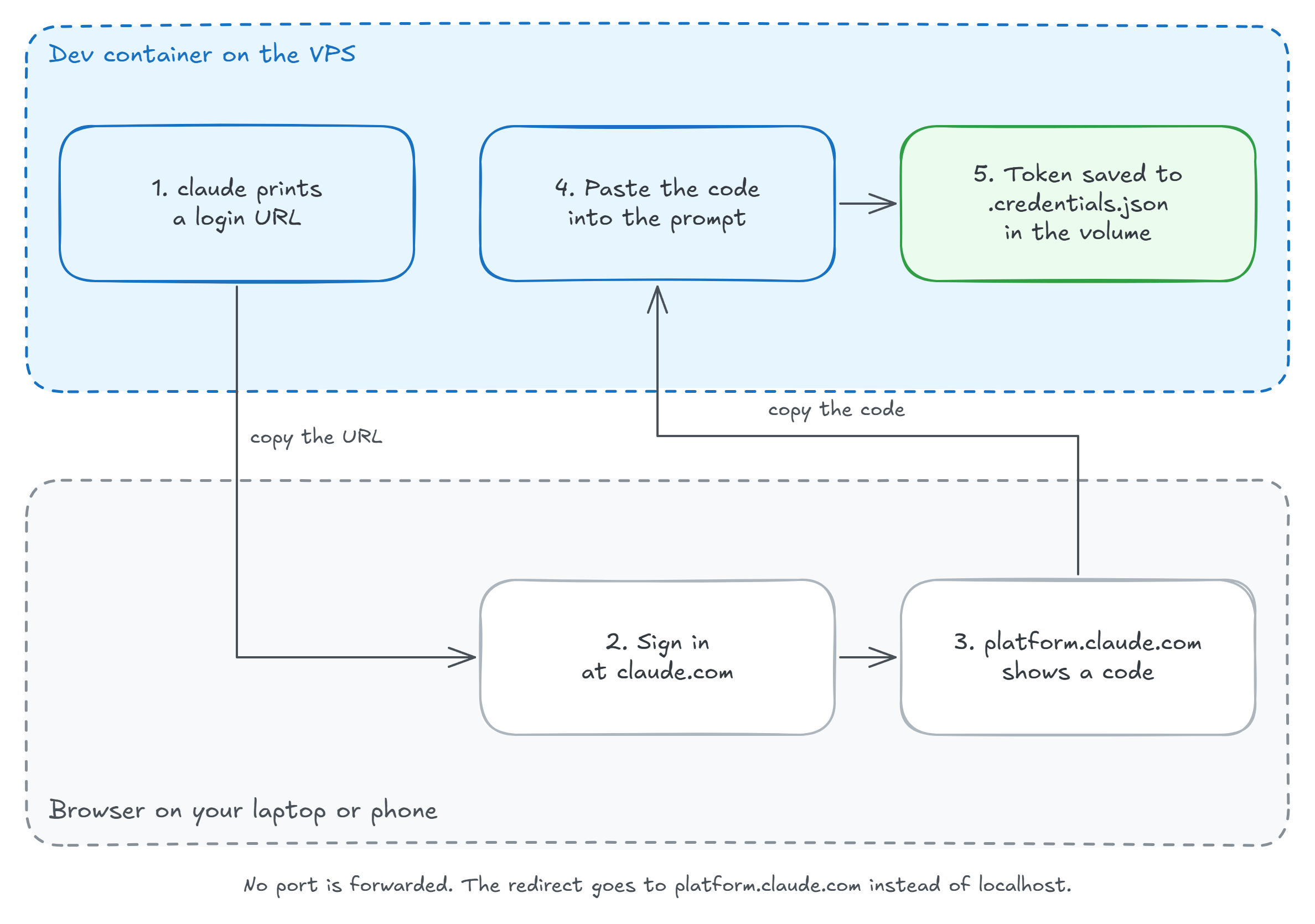
It prints a sign-in URL, you open it on your laptop or phone, and the page shows a code to paste back into the terminal.
To keep the login after a dev container rebuild, store ~/.claude in a Docker volume and set CLAUDE_CONFIG_DIR to that path.
I tested this on November 20, 2026, on a 2 vCPU / 8 GB Ubuntu 24.04 VPS with Docker 29.10 and Claude Code 2.1.329 in the container.
I completed a fresh login on November 22 with Claude Code 2.1.330.
The other logged-in results come from a container I signed in to on November 19.
I didn't test claude setup-token, API key logins, or third-party platforms like Bedrock.
How Do You Log In to Claude Code Inside a Dev Container?
Start Claude Code from the repo folder on the host (the Dev Containers CLI guide covers the setup):
devcontainer exec --workspace-folder . claude
On a fresh volume, it asks for a text style and then a login method. Pick option 1 for a Pro or Max subscription, and it prints a URL instead of opening a browser:
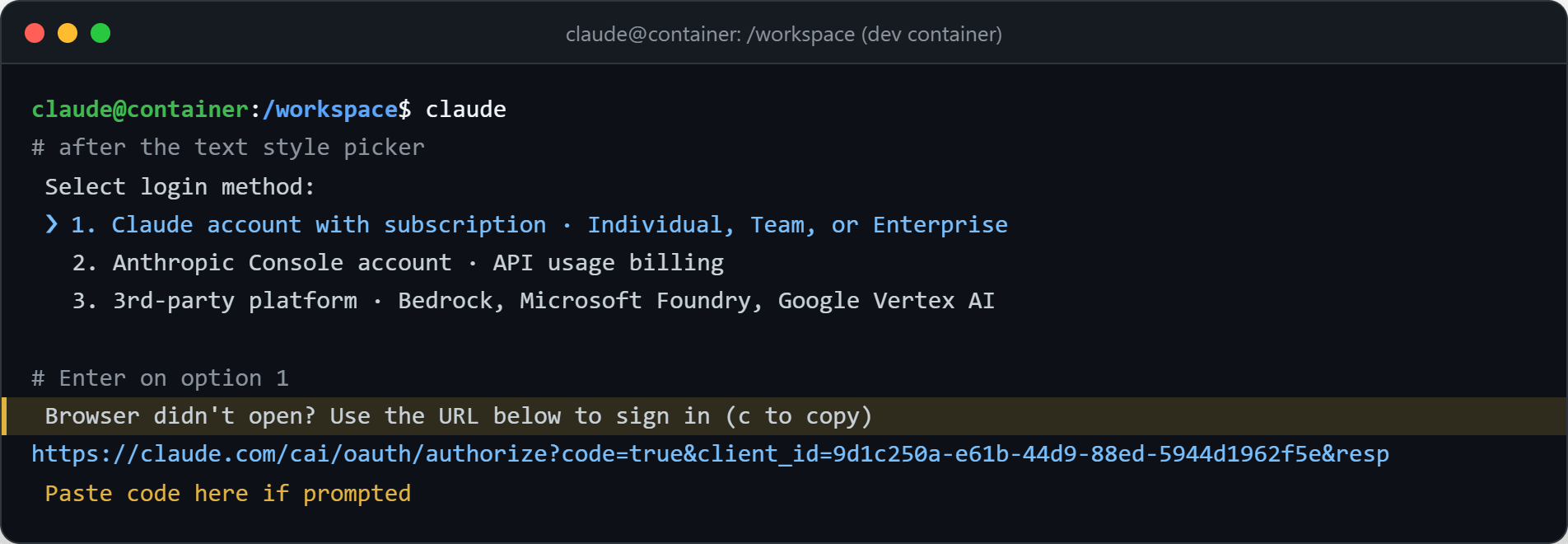
Open that URL on your laptop or phone and sign in.
Its redirect_uri (where the browser goes after sign-in) points at platform.claude.com, not at localhost, so the browser lands on a page that shows a code:
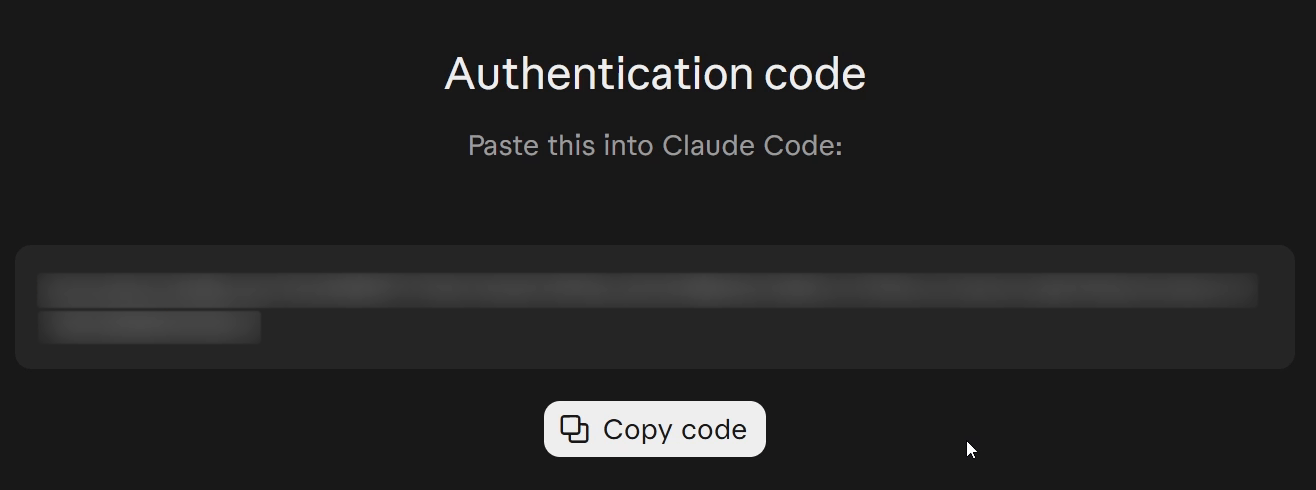
Paste the code into the terminal, and Claude Code writes the token to .credentials.json in its config folder.
The terminal confirms the login, then asks whether you trust the folder:
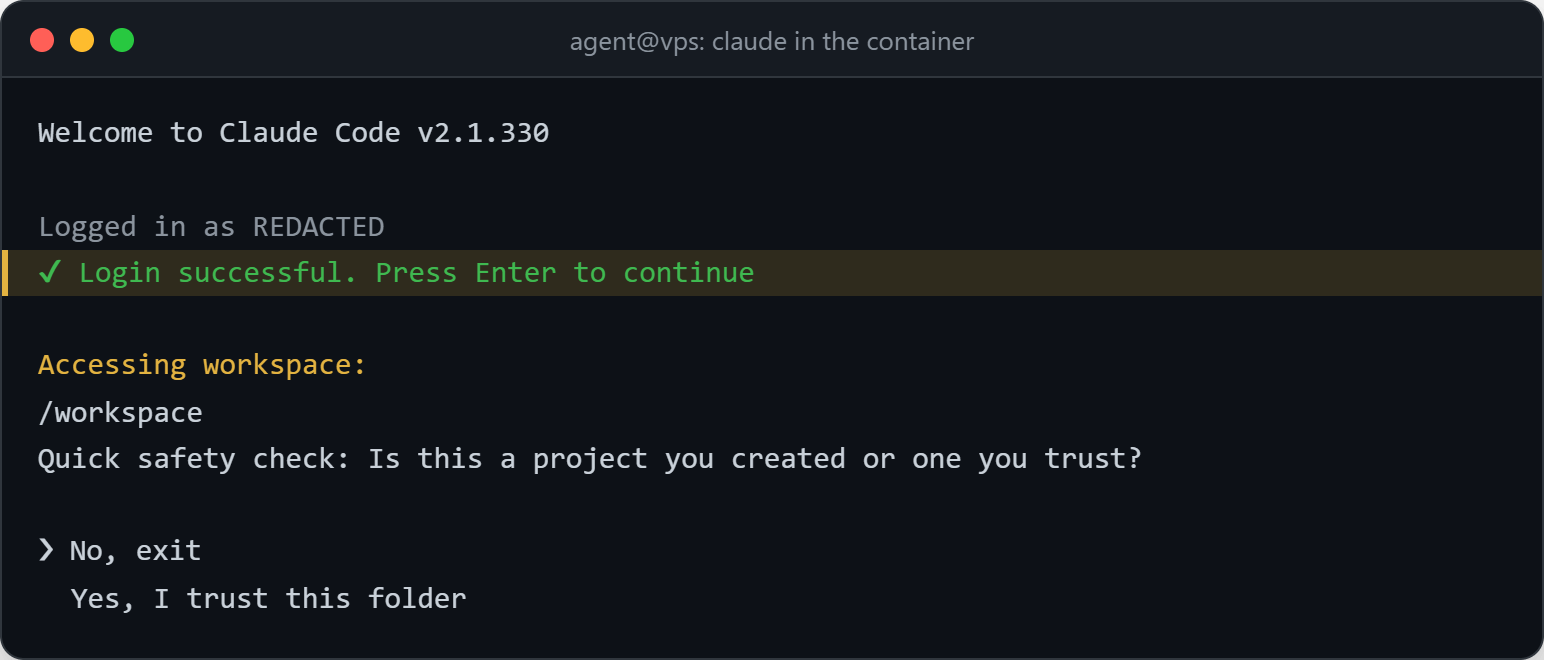
On my fresh volume, the first start also printed Claude configuration file not found with a command to restore a backup.
I ignored it, and the setup continued.
Nothing connects to the server from outside, so you don't need port forwarding or an SSH tunnel.
From a shell in the container, claude auth login runs the same flow without the menus.
The one-year token from claude setup-token can't start Remote Control sessions, according to the authentication docs, so this guide uses the pasted code.
How Do You Check If Claude Code Is Logged In?
Run this in the container:
claude auth status --text
It exits with code 1 when you're logged out, and it shows when the sign-in ends when you're logged in:
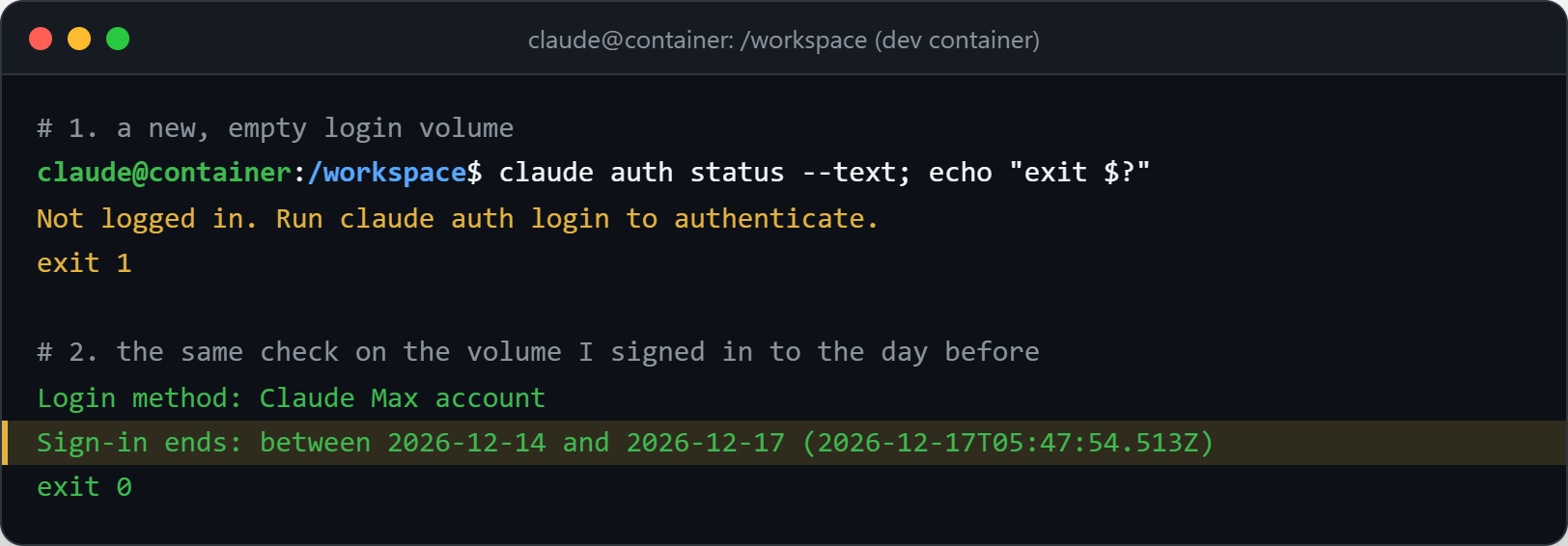
The docs say that using Claude Code doesn't extend the login, so check this date on long-running servers.
Why Does Claude Code Lose Its Login After a Rebuild?
A rebuild replaces the container, and everything written inside it goes with the old one.
Claude Code keeps its state in the ~/.claude folder and in a ~/.claude.json file next to it, so both need to live outside the container.
The dev container from the CLI guide does that with a volume and one variable in devcontainer.json:
  "mounts": [
    "source=claude-config-${devcontainerId},target=/home/claude/.claude,type=volume",
    "source=${localWorkspaceFolder}/.devcontainer,target=/workspace/.devcontainer,type=bind,readonly"
  ],
  "containerEnv": {
    "CLAUDE_CONFIG_DIR": "/home/claude/.claude",
    "DISABLE_AUTOUPDATER": "1"
  },
${devcontainerId} stays the same for the same repo folder, so a rebuilt container gets the same volume back.
CLAUDE_CONFIG_DIR makes Claude Code keep .claude.json in that volume too.
To see what the variable does, I mounted my logged-in volume in a container without it.
claude auth status still said I was logged in, because the token lives in the volume.
But an interactive claude opened the first-run text style picker again.
The .claude.json file had stayed in the home folder, where the next rebuild throws it away.
What Happens When the Volume Has the Wrong Owner?
Claude Code says you're not logged in, even with the volume mounted.
This happens when the volume's files belong to a different UID than the container user, for example after a Dockerfile change gave claude a new UID.
I reproduced it with a volume owned by UID 1001, mounted for claude with UID 1000:
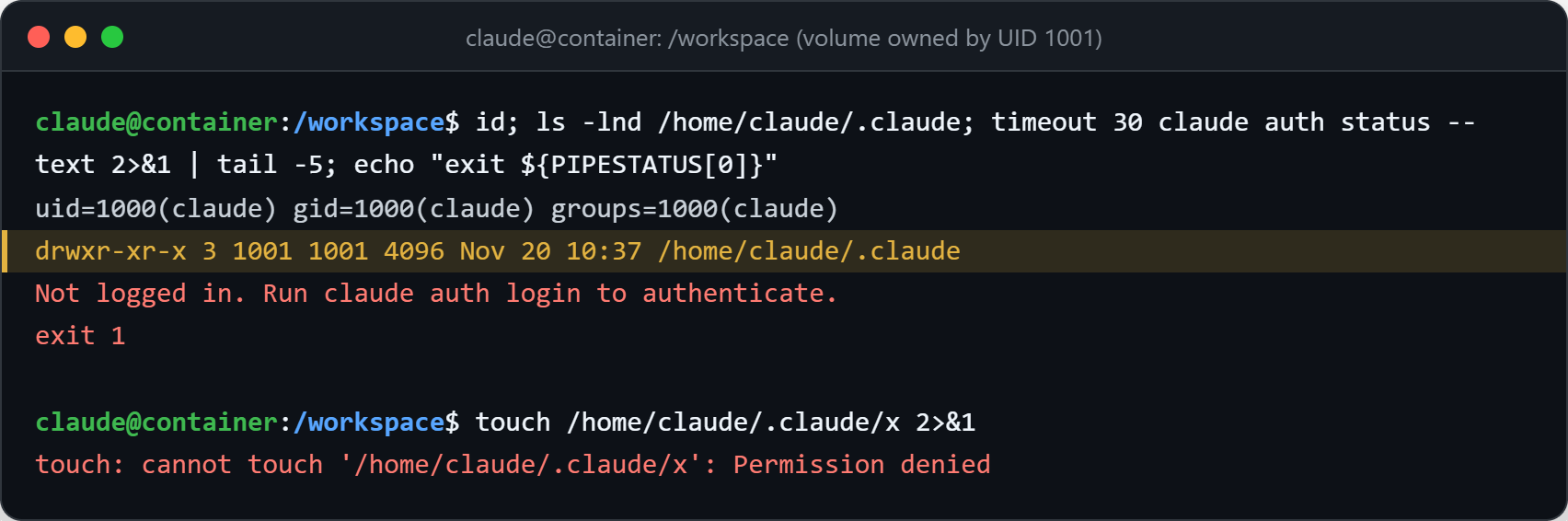
Give the folder back to claude as root, using the container name from docker ps:
docker exec -u root <container> chown -R claude:claude /home/claude/.claude
My test volume held no login, so I couldn't check whether chown restores one.
If it doesn't, remove the volume and sign in again.
That also deletes the settings and session history stored in it.
Which Hosts Does Claude Code Need for Login Behind a Firewall?
The network requirements list claude.ai, claude.com, platform.claude.com, and sso.claude.com for sign-in, next to api.anthropic.com.
On November 20, 2026, all five resolved to 160.79.104.10.
So Anthropic's reference firewall, which only names api.anthropic.com, let the sign-in hosts through by accident:
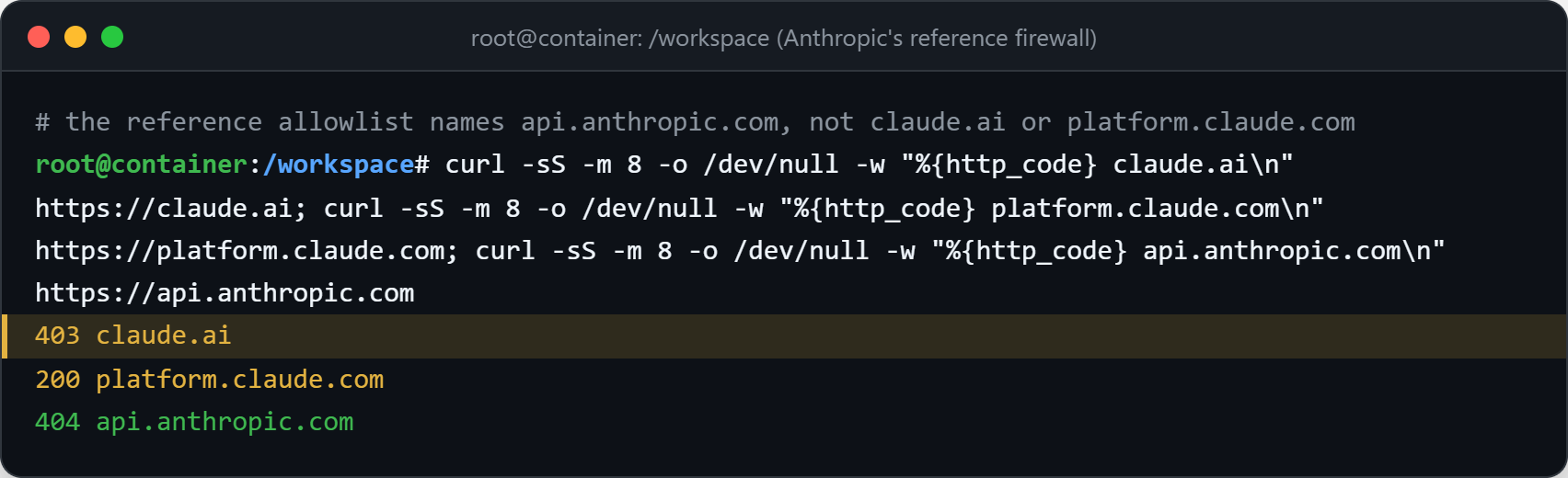
Any status code means the connection went through.
That overlap can change, so allow each host by name.
The dev container firewall guide names claude.ai, claude.com, and platform.claude.com, but not sso.claude.com.
The firewall only limits where traffic can go.
.credentials.json belongs to claude, the user the agent runs as.
The dev container docs say a dev container doesn't stop a malicious project from sending the credentials in ~/.claude to an allowed host.
Only point the agent at repos you trust.
Summary
Claude Code on a server signs in without a browser and without an open port.
You open the URL it prints on another device and paste the code back.
A named volume at ~/.claude plus CLAUDE_CONFIG_DIR keeps that login across rebuilds, as long as the volume's owner matches the container user.
My self-hosting course covers setting up the Ubuntu server that runs these containers.
Thanks for reading.
And stay awesome!
Frequently Asked Questions
How do you log in to Claude Code on a headless server?
Run claude or claude auth login on the server. It prints a sign-in URL. Open it on a laptop or phone and sign in, and the page at platform.claude.com shows a code. Paste that code back into the terminal. No browser on the server and no port forwarding are needed.
Why does Claude Code lose its login after a rebuild?
A rebuild replaces the container and everything written inside it. Mount a named volume at ~/.claude and set CLAUDE_CONFIG_DIR to the same path. Without the variable, the credentials survive in the volume, but the .claude.json settings file stays in the home folder and the first-run setup repeats.
How do you check if Claude Code is logged in?
Run claude auth status with the text option. It prints the login method and when the sign-in ends, or a Not logged in message with exit code 1. Using Claude Code does not extend the login.
Can Claude Code read its own login token in a dev container?
Yes. The credentials file belongs to the same user the agent runs as. The Claude Code docs warn that a dev container does not stop a malicious project from sending anything inside it, including those credentials, to an allowed host.
Which hosts does Claude Code need for login behind a firewall?
Besides api.anthropic.com, the docs list claude.ai, claude.com, platform.claude.com, and sso.claude.com for sign-in. On November 20, 2026, all five resolved to the same IP address, but that can change, so allow each one by name.
