

A value conversion is a pair of transformations EF Core applies to a property: one converts the .NET value to the database value on write, the other converts it back on read. That lets a domain type differ from its database representation, which is especially useful for enums and strongly typed IDs. The conversion must preserve query semantics, and mutable reference types also need a value comparer for correct change tracking.
What Are Value Conversions?
EF Core value conversions let you transform a property's value when it's stored in the database and when it's read back into your entity. You define a pair of expressions: one for writing and one for reading. EF Core applies them transparently.
This is useful when your domain model uses types that don't map directly to database columns: enums, strongly typed IDs, value objects, or custom types.
HasConversion Basics
The simplest way to configure a value conversion is with HasConversion in your entity configuration:
public class OrderConfiguration : IEntityTypeConfiguration<Order>
{
    public void Configure(EntityTypeBuilder<Order> builder)
    {
        builder.Property(o => o.Status)
            .HasConversion(
                status => status.ToString(),        // Write: enum → string
                value => Enum.Parse<OrderStatus>(value)); // Read: string → enum
    }
}
The first lambda converts the .NET value to the database value. The second converts it back. EF Core calls these automatically during SaveChangesAsync and queries.
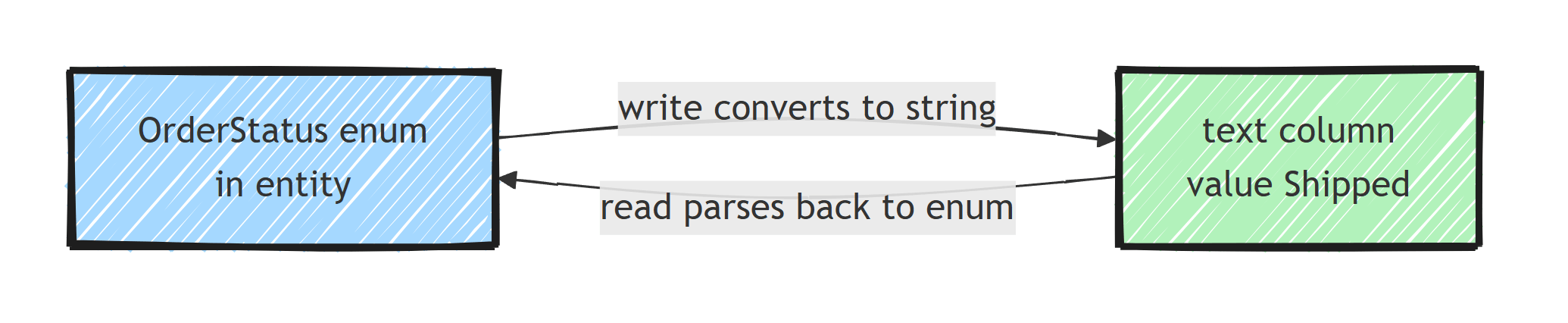
Enum-to-String Conversions
Storing enums as strings is one of the most common use cases. It makes your database more readable and avoids breaking changes when you reorder enum members.
EF Core provides a built-in converter for this:
builder.Property(o => o.Status)
    .HasConversion(new EnumToStringConverter<OrderStatus>())
    .HasMaxLength(50);
Without this, EF Core stores enums as integers by default. That works, but you end up with 0, 1, 2 in your database instead of Draft, Confirmed, Shipped.
Built-in Converters
EF Core ships with several built-in converters in the Microsoft.EntityFrameworkCore.Storage.ValueConversion namespace:
BoolToStringConverter: stores aboolas configurable strings like "Y"/"N"BoolToZeroOneConverter: stores aboolas0or1DateTimeToTicksConverter: stores aDateTimeas alongtick countEnumToStringConverter<TEnum>: stores an enum as its member nameEnumToNumberConverter<TEnum, TNumber>: stores an enum as a numeric type of your choiceGuidToStringConverter: stores aGuidas a stringTimeSpanToTicksConverter: stores aTimeSpanas alongtick count
You can use any of these directly with HasConversion:
builder.Property(o => o.IsActive)
    .HasConversion(new BoolToStringConverter("No", "Yes"));
Custom Converters
For more complex scenarios, create a custom ValueConverter<TModel, TProvider>:
public sealed record Email(string Value);

public class EmailConverter : ValueConverter<Email, string>
{
    public EmailConverter()
        : base(
            email => email.Value,
            value => new Email(value))
    {
    }
}
Then apply it:
builder.Property(u => u.Email)
    .HasConversion(new EmailConverter())
    .HasMaxLength(255);
For value objects with a single property, this is the cleanest approach. The entity keeps the Email type, and the column stays a plain string.
Strongly Typed IDs
Strongly typed IDs prevent you from accidentally passing an OrderId where a CustomerId is expected. Value conversions make them work with EF Core:
public readonly record struct OrderId(Guid Value);

public class OrderIdConverter : ValueConverter<OrderId, Guid>
{
    public OrderIdConverter()
        : base(
            id => id.Value,
            value => new OrderId(value))
    {
    }
}
Configure in your DbContext:
builder.Property(o => o.Id)
    .HasConversion(new OrderIdConverter());
Or apply it globally using conventions (EF Core 6+):
protected override void ConfigureConventions(
    ModelConfigurationBuilder configurationBuilder)
{
    configurationBuilder.Properties<OrderId>()
        .HaveConversion<OrderIdConverter>();
}
Value Comparers
EF Core uses value comparers to determine if a property's value has changed. For reference types, the default comparer uses ReferenceEquals, which means the change tracker might not detect changes to mutable objects.
You need a custom ValueComparer when your converted type is a class:
builder.Property(o => o.Tags)
    .HasConversion(
        tags => string.Join(',', tags),
        value => value.Split(',', StringSplitOptions.RemoveEmptyEntries).ToList())
    .Metadata.SetValueComparer(
        new ValueComparer<List<string>>(
            (a, b) => a.SequenceEqual(b),
            c => c.Aggregate(0, (h, v) => HashCode.Combine(h, v.GetHashCode())),
            c => c.ToList()));
The three expressions define equality, hash code, and snapshot. Without a proper comparer, EF Core either misses changes or generates unnecessary updates.
JSON Columns
EF Core supports mapping object graphs to JSON columns through owned types and, in EF Core 10, complex types. This is model-level JSON mapping rather than a value converter, so nested members remain available to translated queries:
builder.OwnsOne(o => o.ShippingAddress, address =>
{
    address.ToJson();
});
For simpler cases, you can use a manual JSON conversion:
builder.Property(o => o.Metadata)
    .HasConversion(
        meta => JsonSerializer.Serialize(meta, JsonSerializerOptions.Default),
        json => JsonSerializer.Deserialize<OrderMetadata>(
            json, JsonSerializerOptions.Default)!)
    .HasColumnType("jsonb");
The converter approach is fine for blobs of semi-structured data, but the serialized string is opaque to EF Core. It cannot translate queries against individual properties, which is exactly what the model-level JSON mapping above gives you.
Limitations
Value conversions have a few constraints:
- Null handling: Null values are never passed through the converter. EF Core handles nulls separately. A nullable property stores
NULLin the database without invoking the converter. - Navigations: Converters apply to scalar properties, never to navigation properties or entity collections. Use owned types or JSON columns for those. A primitive collection like
List<string>can be converted (as the tags example above shows), but then it needs a value comparer. - Querying: the database only sees the converted value. Filtering on equality works because EF Core converts your parameters too, but operations that need the original type's semantics don't.
Where(o => o.Status > OrderStatus.Confirmed)on a string-stored enum compares alphabetically, not by enum order. - Sorting: same problem.
OrderBy(o => o.Status)sorts by the stored string, soCancelledcomes beforeDraft.
For value objects with multiple properties, a value converter to a single column doesn't fit. Use complex types (EF Core 8+) or owned entities so each property gets its own column.
Applying Conversions Globally
Instead of configuring each property individually, use ConfigureConventions to apply conversions across all entities:
protected override void ConfigureConventions(
    ModelConfigurationBuilder configurationBuilder)
{
    configurationBuilder.Properties<DateTime>()
        .HaveConversion<DateTimeToUtcConverter>();

    configurationBuilder.Properties<OrderStatus>()
        .HaveConversion<EnumToStringConverter<OrderStatus>>()
        .HaveMaxLength(50);
}
DateTimeToUtcConverter is a small custom converter that normalizes every DateTime to UTC:
public class DateTimeToUtcConverter : ValueConverter<DateTime, DateTime>
{
    public DateTimeToUtcConverter()
        : base(
            value => value.ToUniversalTime(),
            value => DateTime.SpecifyKind(value, DateTimeKind.Utc))
    {
    }
}
Summary
Use HasConversion when a domain value has a stable scalar representation in the database.
Add a value comparer for mutable reference types so the change tracker can snapshot and compare them correctly.
Apply repeated conversions through ConfigureConventions, and use provider JSON mapping rather than a converter when nested members must remain queryable.
Frequently Asked Questions
What is a value conversion in EF Core?
A value conversion is a pair of transformations EF Core applies to a property: one converts the .NET value to the database value on write, the other converts it back on read. It lets domain types like enums, strongly typed IDs, and value objects map to simple database columns.
How do I store an enum as a string in EF Core?
Configure the property with HasConversion using EnumToStringConverter, or call HasConversion<string>() as a shortcut. Add HasMaxLength so the column is not created as unbounded text.
Why does EF Core not detect changes to my converted property?
When the converted type is a mutable reference type, the default comparer checks reference equality only. You need to set a custom ValueComparer that defines equality, hash code, and snapshot logic so the change tracker can detect mutations.
Do value conversions work with LINQ queries?
Mostly. EF Core applies the conversion to constants and parameters so equality filters work, but the database sees only the converted value. Operations that rely on the original type semantics, like numeric comparisons on an enum stored as string, can behave unexpectedly or fail to translate.
Can EF Core value converters convert null values?
By default, no. Nulls are handled by EF Core outside the converter, so a null property is stored as NULL without invoking your conversion logic.
