
On a VPS you run the OS and everything above it, and a managed PaaS moves host OS patching and TLS to the provider. Your data, access and recovery plan stay yours on every option. DigitalOcean's written SLAs run from 99.99% per Droplet down to 99.5% for a database without a standby. Those are credit terms and not measured uptime.
I read the figures from provider documents, pricing pages and price APIs on November 5, 2026, and the prices are list prices before tax. I didn't measure uptime or run this workload on any provider, so nothing here is a failure rate. I also didn't read the SLAs for Vultr, Azure, Fargate or ElastiCache.
The second-instance and standby prices below use the reference workload and price sources in VPS vs PaaS vs cloud: one API at 2 vCPU and 4 GB, plus PostgreSQL at 2 vCPU, 4 GB and 50 GB, in US East, at no-commitment list prices. The RDS figure is on a burstable class.
My own bias is toward servers: "Katabench runs on three Hetzner servers inside one private VPN," as I wrote in July.
Who Does What on Each Option?
The main split is the operating system:
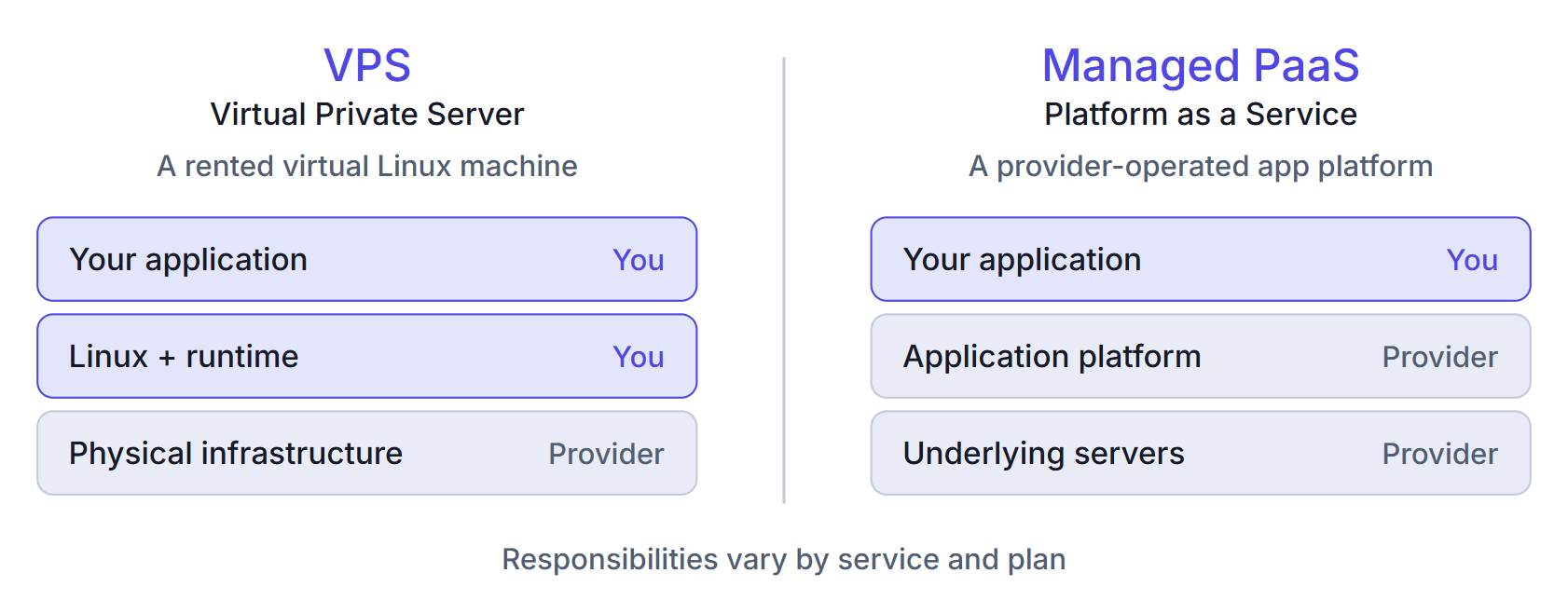
I built this table from provider documentation, including AWS's and Render's responsibility models. Cells marked "my reading" have no direct source:
| Duty | Plain VPS | VPS with panel | Managed PaaS | Hyperscaler managed |
|---|---|---|---|---|
| Hardware and host | Provider | Provider | Provider | Provider |
| OS patching | You | You | Provider, your image on Docker | Provider on App Service, Fargate, RDS. Your image on containers. You on EC2 |
| Runtime and deploys | You (my reading) | Panel deploys, you maintain it and Docker | Provider for native runtimes | App Service patches runtimes. You build images on containers |
| TLS | You (my reading) | Panel, you do DNS | Provider | Provider once configured |
| Database engine | You | You | Provider on managed plans. Major upgrades stay yours on Railway | Provider, patching may take it offline |
| Database backups | You, disk images partly help | Panel schedules, you own the bucket, retention and restores | Provider, short window, opt-in on Railway | Provider, you set retention, restores are yours (my reading) |
| Scaling | You, with downtime | You (my reading) | Provider mechanics, your plan | Provider mechanics, your config (my reading) |
| Monitoring | You, from outside the server | Panel metrics (Dokploy: 2-day default retention), outside check still yours | Platform metrics, alerts vary | Service metrics, logs billed by volume |
| Incidents | You (my reading) | You (my reading) | Shared by layer | Shared, support plans extra (my reading) |
| Data, access, compliance, recovery plan | You | You | You | You |
Installing a panel doesn't move the OS, Docker engine, database patching or restore testing off your plate, and Dokploy's hardening guide says so. The 2-day metrics retention comes from Dokploy's monitoring docs.
According to DigitalOcean's model, a managed database still leaves users, queries, alerts, network access and adding high availability with you. That page was last edited in 2023 and last verified in June 2025. It doesn't mention proving a restore works, but I'd treat that as your job too. Testing a Postgres restore walks through that check.
Recovery windows can be short: 3 days on Hobby and 7 on Pro on Render, and 7 by default on Azure.
What Does Scaling Take?
A larger server still shares one failure domain, so for scaling I'd start by measuring:
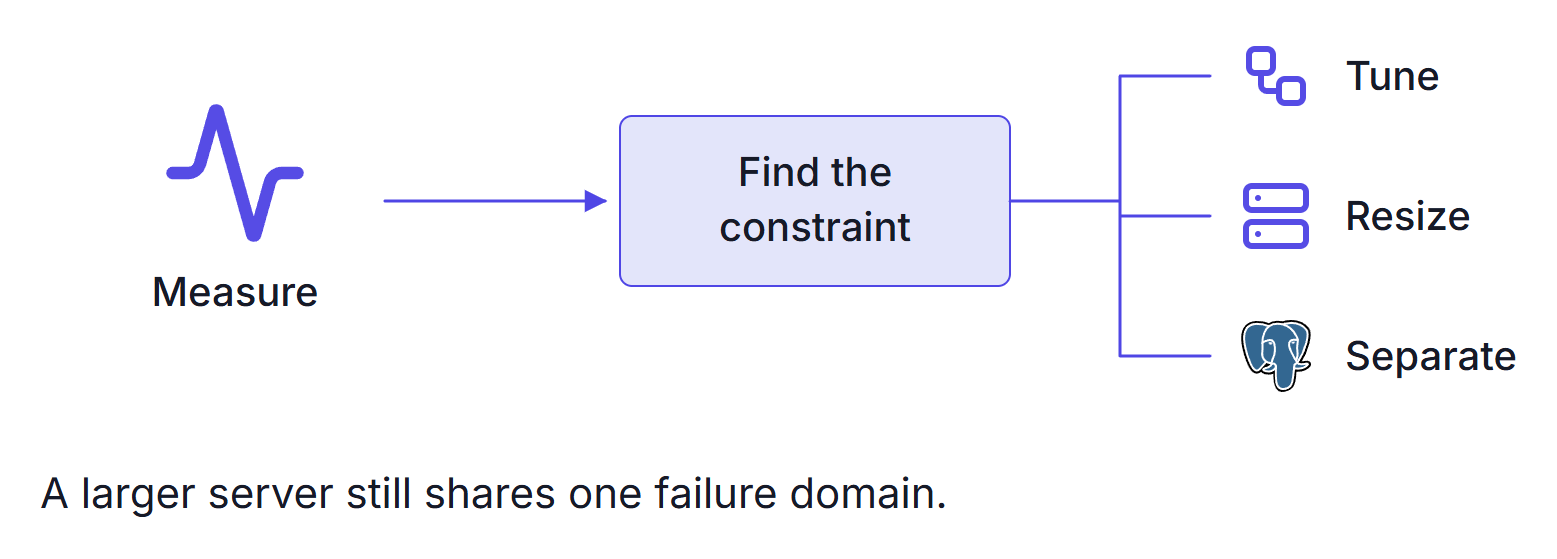
Resizing a Droplet means downtime, because you power it off first. DigitalOcean says to allow about a minute per GB of used disk, typically less. It strongly recommends a snapshot first, because a move can lose data.
A resized disk can't shrink back, so resize only CPU and RAM if you might want to go back down.
Platforms change instance counts from a setting, but only if your app is stateless.
What Do the Written SLAs Promise?
Written SLAs compare differently than people expect:
| Service | Written figure | Downtime at that figure in a 730-hour month, before exclusions |
|---|---|---|
| DigitalOcean Droplet, per instance | 99.99%, stated as a commitment | 4.4 minutes |
| DigitalOcean App Platform | 99.95%, commercially reasonable efforts | 21.9 minutes |
| DigitalOcean database with a standby | 99.95%, commercially reasonable efforts | 21.9 minutes |
| DigitalOcean database without a standby | 99.5%, commercially reasonable efforts | 3.65 hours |
| EC2, one instance | 99.5%, commercially reasonable efforts | 3.65 hours |
| EC2, across availability zones | 99.99%, commercially reasonable efforts | 4.4 minutes |
| RDS, Single-DB and Multi-AZ | Credits start below 99.5% and below 99.95% | 3.65 hours and 21.9 minutes |
| Google Cloud Run | 99.95% | 21.9 minutes |
| Cloud SQL, single zone | Excluded from the SLA | Not covered |
| Render | Contractual SLAs only on Enterprise | No SLA figure on the priced plans |
| Railway | SLAs tied to Enterprise, no database uptime SLA | No SLA figure on the priced plan |
| Hetzner | 99.9% annual average, network only, economically reasonable efforts | Not comparable |
The sources are Droplets, App Platform, DigitalOcean databases, EC2, RDS, Cloud Run, Cloud SQL, Hetzner's terms, Render's pricing, Railway's plans and Railway's database docs. Vultr's page returned 403 and Azure's figures sit in a document I didn't download, so both stay out.
So a Droplet's figure sits above App Platform's. That doesn't make one Droplet safer than a managed stack. One server is one failure domain, and the price comparison covers that risk.
An SLA is a credit formula, and DigitalOcean's excludes scheduled maintenance. No SLA covers your failed patch or full disk.
What Do a Second Instance and a Standby Cost?
A PaaS instance also goes down with its host. Render says moving a service to a new instance can take a few minutes, and Azure advises running multiple instances.
A second instance adds $85 on Render, $50 on App Platform and $72.08 on Fargate. I'd say what a PaaS gains over one VPS is automatic recovery and a separate database.
A database standby adds $52.47 on RDS and $89.24 on Cloud SQL. DigitalOcean recommends single-node clusters for preliminary development and testing. It also says they aren't highly available but "feature automatic failover", and that page doesn't say how that failover works without a standby.
On DigitalOcean, new Standard clusters can't add a standby. That has applied since October 15, 2026 to accounts that never created a cluster, and it applies to all accounts from November 30. Existing clusters aren't affected.
The smallest path to a standby on DigitalOcean's pricing panel is Advanced, General Purpose at 8 GiB and 2 vCPUs with one standby. At $271.50 it adds $210.60 to the $60.90 single-node plan and doubles the RAM. I couldn't price the shared-CPU Advanced plans that the release note mentions. No DigitalOcean page I read says its standby runs in a separate zone, so I can't call that path the same purchase as RDS Multi-AZ.
Summary
A plain VPS leaves the OS, the database engine and its backups with you, and a panel handles deploys and certificates without moving those off your plate. A managed PaaS moves host patching and TLS to the provider. Your data, access, compliance and recovery plan stay yours on every option.
On written SLAs, a DigitalOcean Droplet at 99.99% sits above App Platform at 99.95% and a database without a standby at 99.5%. That doesn't make one Droplet safer, because one server is one failure domain and an SLA is a credit formula. A second instance adds $50 to $85 a month on the options I priced, and a database standby adds $52.47 on RDS and $89.24 on Cloud SQL. The smallest DigitalOcean path adds $210.60 with double the RAM, and it may not be the same purchase.
The figures come from provider documents and price APIs I read on November 5, 2026, the cells marked "my reading" are mine, and I measured nothing.
For what each option costs on one workload, read VPS vs PaaS vs cloud, and my self-hosting course gives you guided practice.
Thanks for reading.
And stay awesome!
Frequently Asked Questions
Does a PaaS have a better SLA than a VPS?
Not always. DigitalOcean commits to 99.99 percent per Droplet, targets 99.95 percent for App Platform, and targets 99.5 percent for a managed database without a standby. An SLA is a credit formula and not measured uptime, so a high figure on one server does not make that server safer than a managed stack.
Who patches the operating system on a VPS and on a PaaS?
On a VPS you patch it, and installing a panel does not change that. On a managed PaaS the provider patches it, but the base image of a Docker app you build stays yours.
What do you still own on a managed database?
According to the DigitalOcean responsibility model, users, queries, alerts, network access and adding high availability stay with you. That page does not mention proving a restore works, but treat that as your job too.
What does a database standby add to the bill?
For a 2 vCPU, 4 GB PostgreSQL with 50 GB in US East, at November 5, 2026 list prices, a standby adds 52.47 dollars a month on an RDS burstable class and 89.24 dollars on Cloud SQL. The smallest path on the DigitalOcean pricing panel adds 210.60 dollars and doubles the RAM, and no DigitalOcean page I read says that standby runs in a separate zone, so it may not be the same purchase.
