
Docker's no space left on device means the disk ran out of bytes or inodes.
Run read-only checks first, and don't restart Docker.
Plain image prune and builder prune are safe while Docker lists every container, because they remove only untagged images and dangling cache, but only truncate freed a live log, and volume prune -a can delete a database.
I filled an ext4 disk of about 4 GiB five ways and ran every cleanup against each fill, on Docker 29.9.3 and containerd 2.4.2, in an Ubuntu 24.04 systemd container under WSL2. That isn't a real VPS, so I didn't test a provider's image or a real boot path.
How Do You Find What Filled the Disk?
Start with commands that change nothing, because these kept answering on my full disk while pulls, docker run, and docker exec failed:
df -h /var/lib/docker
df -i /var/lib/docker
docker system df
sudo du -xh --max-depth=1 /var/lib/docker /var/lib/containerd | sort -h | tail -6
This is the log fill, trimmed (/dev/loop6 is my test disk):
/dev/loop6      3.9G  3.9G     0 100% /var/lib/docker
TYPE            TOTAL     ACTIVE    SIZE      RECLAIMABLE
Images          7         3         1.267GB   469.9MB (37%)
Containers      4         3         33.6MB    33.56MB (99%)
Local Volumes   4         2         165.8MB   67.11MB (40%)
Build Cache     6         0         180.8MB   100.7MB
1.4G	/var/lib/containerd
2.3G	/var/lib/docker/containers
The disk is full, but docker system df accounts for about 1.6 GB, and du finds the rest in /var/lib/docker/containers.
docker system df doesn't count logs, and its API returned byte-identical numbers with a 1.73 GB log and with none.
This loop names the container, and mine printed 2337MiB /chatty:
for id in $(docker ps -aq); do printf "%s %s\n" "$(sudo du -m "$(docker inspect --format "{{.LogPath}}" $id)" | cut -f1)MiB" "$(docker inspect --format "{{.Name}}" $id)"; done | sort -n
Which Command Identifies Each Cause?
I repeated those checks for each fill:
| Cause | docker system df | du | What names it |
|---|---|---|---|
| Unbounded json-file log | Containers 33.6 MB | /var/lib/docker/containers 2.3G | du only. docker system df misses it |
| Old images after redeploys | Images 3.684 GB, reclaimable 2.887 GB (78%) | /var/lib/containerd 3.6G, /var/lib/docker 160M | docker system df -v |
| BuildKit cache | Build Cache 2.446 GB, reclaimable 1.359 GB | /var/lib/containerd 3.5G, /var/lib/docker/buildkit 536K | docker system df |
| Postgres named volume | Local Volumes 2.384 GB, reclaimable 67.11 MB (2%) | /var/lib/docker/volumes 2.3G | docker system df -v |
| Tiny files, inodes gone | Containers 44.97 MB | du --inodes: one snapshot holds 248,378 of 259,613 | df -i, then du --inodes |
df -h read 100 percent and df -i 6 on the first four fills, and the inode fill read 44 and 100.
On a fresh Docker 29 apt install, the containerd image store is the default (read November 7, 2026), so images, layers, and build cache land in /var/lib/containerd, and only logs and volumes stay in /var/lib/docker.
An upgraded host keeps overlay2, which I ran only at small scale.
What Is Safe to Delete for Each Cause?
Every prune here prompts, so leave -f off, but the prompt names categories, not objects.
This table is the containerd image store on Docker 29.9.3, not overlay2, in decimal MB freed, measured with -f, one run per cell.
The fixtures are small, so read it for which cleanup reaches the fill.
| Command | Log fill | Redeploys | BuildKit | Inode fill (inodes freed) |
|---|---|---|---|---|
| image prune | 134 | 134 | 134 | 17 |
| image prune -a | 436 | 2,854 | 437 | 56 |
| builder prune | failed | 101 | 1,762 | 17 |
| builder prune -a | failed | failed | 1,906 | 540 |
| container prune | 34 | 34 | 34 | 31 |
| system prune | 269 | 269 | 1,930 | 65 |
| system prune -a | 647 | 3,065 | 2,510 | 628 |
| system prune --volumes | 336 | 336 | 1,997 | 71 |
| system prune -a --volumes | 714 | 3,132 | 2,577 | 634 |
| volume prune | 34 | 34 | 34 | 3 |
| volume prune -a | 67 | 67 | 67 | 6 |
| truncate -s 0 on logs | 2,450 | 0 | 0 | 0 |
The Postgres volume fill matched the log fill, except builder prune (101) and truncate (0).
Plain image prune removes untagged images only, and builder prune removes dangling build cache, or all of it with -a.
container prune removes stopped containers and any log they held.
system prune adds unused networks, and its -a form adds the rollback tag and all cache.
The --volumes and volume prune -a rows can delete a database, as the Postgres section shows.
That table holds only while the daemon lists every container.
If Docker restarted or the host rebooted while full, compare docker ps -a with what should be running before any prune, because a short or empty list means a prune can delete those containers or their named volume.
A cleanup can work while df -h stays at 100 percent, because ext4 holds back blocks for root: image prune freed 134 MB and Avail didn't move.
A Container Log
truncate is the only cleanup that reached the log, freeing all 2,450 MB at once.
Replace chatty with your container, and note that this destroys that log's history:
sudo truncate -s 0 "$(docker inspect --format "{{.LogPath}}" chatty)"
It breaks readers: docker logs -f stayed attached with no output and no error, and docker logs --tail 1 printed nothing until the container restarted.
Docker's json-file docs (read November 7, 2026) say to avoid outside access to these files, so treat this as an emergency move, then set limits and recreate the container.
Don't rm the file.
That freed 0 bytes, because dockerd keeps the deleted file open, and a live writer took another 431 MB in 20 seconds where du could no longer see it.
If you already did, docker restart chatty released the space.
Old Images After Redeploys
Plain docker image prune keeps your previous tag.
docker image prune -a freed 2,854 MB by taking every image without a container, including the one you would roll back to.
With my registry stopped, the rollback then failed with No such image.
Deleting old tags by name kept the rollback working, and this keeps the newest three of the repository you name:
docker image ls registry.lab:5000/shop --format '{{.CreatedAt}} {{.Repository}}:{{.Tag}}' | sort -r | tail -n +4 | awk '{print $NF}' | xargs -r docker image rm
It sorts on build time, so a moving tag such as edge counts as one.
In a separate run where -a freed 2.719 GB, it freed 2.417 GB, and v19 still ran with the registry down.
Build Cache
The failed cells are docker builder prune hitting the true last block, where it can't write its own metadata and exits with ResourceExhausted.
That hit 7 of 15 attempts on the other fills, and freeing a little first with docker container prune made the retry work 3 of 3 times.
A Postgres Volume
No prune reaches a live database, and docker system df already said only 2% was reclaimable.
My Postgres disk full guide covers what the database does here and how to recover it.
Two prunes can delete a database, though.
docker system prune --volumes removes anonymous volumes, and docker run postgres:18 with no -v creates one, so a stopped Postgres started that way lost its data.
docker volume prune -a takes named volumes too, and unused means no container the daemon can list.
docker container prune and system prune also removed an exited Postgres container, 6 of 6, while its named volume survived.
While db was listed, pgdata stayed.
After systemctl restart docker at full, the daemon lost db in two of three rounds, and this command deleted the volume of a database that was running before the restart:
Deleted Volumes:
pgdata

Total reclaimed space: 48.2MB
With room back, db returned as Exited (1) with no volume, and the prompt gave no hint.
I didn't run this after a reboot at full, but expect the same risk.
Free Space but Writes Fail (Inodes)
The inode count on ext4 is fixed at format time, so tiny files can use them all while df -h reads 44 percent.
The best prune freed 634 of about 281,000, so find the directory instead, as root:
du --inodes -x --max-depth=1 /var/lib/containerd/io.containerd.snapshotter.v1.overlayfs/snapshots | sort -n | tail -4
for c in $(docker ps -q); do echo "$(docker inspect --format "{{.Name}}" $c) $(grep -o "upperdir=[^,]*" /proc/$(docker inspect --format "{{.State.Pid}}" $c)/mountinfo | head -1)"; done
The loop maps a snapshot to a container, and mine pointed at sessions, full of files in /sessions.
I didn't run this hunt on overlay2.
The next commands delete data, so confirm the directory is disposable first.
docker exec failed with no inodes left, so prune first, one command at a time, answering y:
docker image prune
docker exec sessions sh -c "find /sessions -type f -delete"
The prune freed enough to run the find when an untagged image existed.
With none it freed 0B and docker exec still failed.
docker rm -f sessions worked with no inodes free and removes the whole writable layer.
Why Not Restart Docker or Reboot on a Full Disk?
The daemon writes a file for each container as it registers them, and on a full disk that write fails with failed to register container.
systemctl restart docker returned 0 in all 11 rounds, and docker ps -a was then empty in 6 of them, with containers missing or stopped in the rest.
Restarting the systemd container as a stand-in for a reboot listed nothing in 8 of 8 boots from one snapshot, and other runs kept some.
docker system prune in that window deleted containers that looked stopped, including two with unless-stopped.
Docker can also refuse to start, as it did in 10 of 11 boots with inodes full.
Key login kept working in my rig, even with /etc and /usr on the full disk, but I could not test a real VPS boot, so keep your provider's console within reach.
How Do You Bring Docker Back After a Restart at Full?
Free room first.
The truncate above worked by name with the list empty, but with Docker down it fails with cannot open '', so pick the file by size and run sudo truncate -s 0 on its path:
sudo find /var/lib/docker/containers -name "*-json.log" -printf "%s %p\n" | sort -n | tail -3
With inodes gone and Docker down, the du --inodes line still names the snapshot, and deleting disposable files under its fs directory worked 3 of 3 times, as root:
find /var/lib/containerd/io.containerd.snapshotter.v1.overlayfs/snapshots/<id>/fs/sessions -type f -delete
This edits containerd's storage directly, and I ran it only on a lab rig against a container's writable layer, so ls that directory first.
Stop a fast writer before you restart anything, because mine refilled the disk within seconds.
Running docker stop and docker update --restart=no by name worked with the list empty, and the disk stayed clear.
With Docker down neither runs, and mine refilled the disk after the restart, 3 of 3.
If docker.service is active and only the list is short, systemctl restart docker as root brought the containers back in every completed round.
If Docker won't start, journalctl -u docker --no-pager -n 25 shows Unable to get the TempDir under /var/lib/docker, and once room is back, unknown service containerd.services.leases.v1.Leases.
systemctl restart docker alone kept failing, 3 of 3, because containerd reports active with plugins that failed to load at boot.
Restarting containerd first worked in 6 of 6, as root:
systemctl restart containerd
systemctl reset-failed docker.service docker.socket
systemctl restart docker
Then compare docker ps -a with what should be running before any prune.
I didn't test this on a real server.
How Do You Stop the Disk Filling Again?
Limit logs, since json-file has no max-size by default.
Merge this into /etc/docker/daemon.json rather than overwriting the file:
{
  "log-driver": "json-file",
  "log-opts": {
    "max-size": "10m",
    "max-file": "3"
  }
}
The values must be strings, because a numeric max-file stops the daemon.
Validate as root with dockerd --validate --config-file /etc/docker/daemon.json, then restart in a maintenance window with room on the disk, because the restart stopped containers with no restart policy.
The limits reach only containers created afterwards.
Mine kept "Config":{} through a daemon restart, docker restart, and compose up -d, so recreate them with docker compose up -d --force-recreate.
My VPS deployment checklist shows the per-service Compose form.
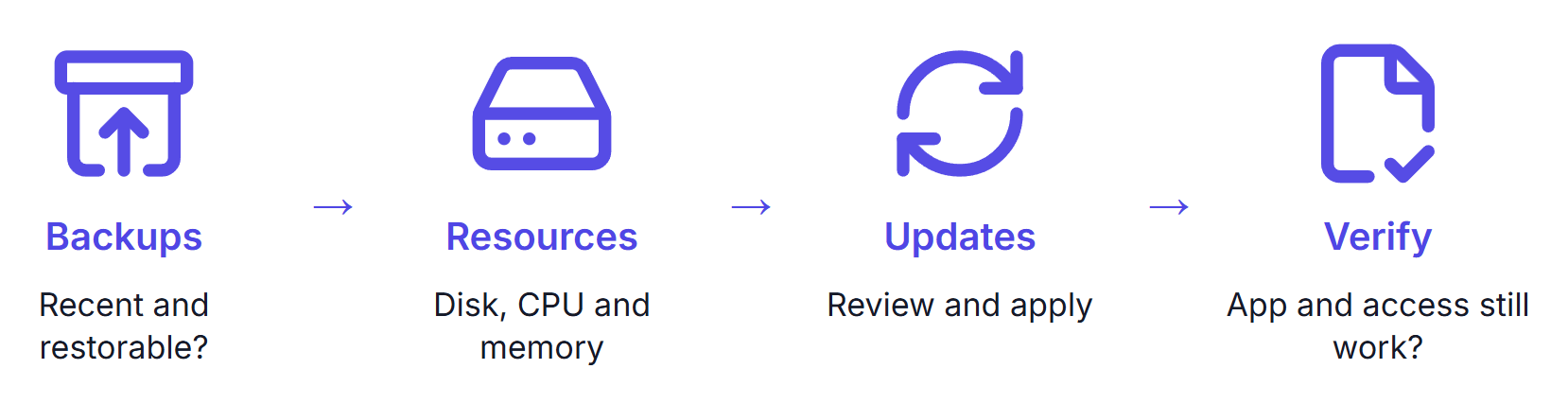
Add disk and the log loop to a regular check alongside backups, updates, and access.
Summary
docker system df left out a 2.45 GB log, and system prune freed 269 MB of unrelated objects next to it, so run the read-only checks before you delete anything.
Leave Docker running until there's room.
A restart or reboot at full can empty docker ps -a, and system prune then deleted containers, while volume prune -a after a daemon restart deleted a named database volume.
If that already happened, free room, restart containerd and then Docker, and check the list before you prune.
My self-hosting course builds a monthly maintenance routine that covers server resources along with backups and updates.
Thanks for reading.
And stay awesome!
Frequently Asked Questions
What is safe to delete when Docker says no space left on device?
It depends on what filled the disk. Plain image and builder prunes remove only untagged images and dangling build cache, but while Docker lists the container, no prune touches its running log or live database. Find the cause with df, docker system df, and du before you delete anything.
Why does docker system df not show my container logs?
It does not count them. The disk usage API has no log field, and its numbers stayed byte-identical with a 1.73 GB log and with none. Use du on /var/lib/docker/containers, or on the log path of each container.
Why does Docker report no space left when df shows free space?
The disk can run out of inodes, the entries that track files, before it runs out of bytes. In testing, df -h showed 44 percent used while touch failed and df -i showed 100 percent. The largest prune freed only 634 inodes.
Should I reboot or restart Docker when the disk is full?
Not before freeing room. In a lab, both left docker ps -a short or empty, because the daemon could not write the files it needs to register containers. A system prune then deleted containers, and after a daemon restart a volume prune with the all flag deleted a named database volume. This ran in containers, not on a real VPS boot.
Can I delete a container json log file?
Do not delete it. Removing a live log freed 0 bytes, because Docker keeps the file open and keeps writing to it. Truncating it to zero freed the space at once, but docker logs with follow or tail then returned nothing until the container restarted, and Docker advises against touching these files.
Does docker image prune remove my rollback image?
Plain image prune does not, because it removes untagged images only. With the all flag it removes every image without a container, including the previous tag, and with the registry unreachable the rollback then failed. Delete old tags by name to keep the last few.
